
Your Toyota Sienna’s tire pressure display gives you immediate access to precise PSI readings for each tire, eliminating the guesswork when your TPMS warning light illuminates. Unlike older models that only showed a generic warning, modern Siennas let you see exactly which tire needs attention and how much air it’s missing. This feature is particularly valuable for families who rely on their Sienna for daily transportation, as properly inflated tires improve fuel efficiency by up to 3% and extend tire life by thousands of miles.
Many Sienna owners drive for months without realizing their dashboard can show individual tire pressures—simply because the navigation process isn’t immediately obvious. The exact method to access your Toyota Sienna tire pressure display varies depending on your trim level and display size, but once you learn the sequence, checking pressures takes just seconds. Whether you’re preparing for a road trip or just performing routine maintenance, knowing how to access this information prevents unnecessary service visits and keeps your family safe on the road.
This guide reveals the exact steps to access your tire pressure readings regardless of model year, reset the system after maintenance, and troubleshoot common display issues. You’ll discover why some dealerships can’t access this feature and learn practical tips to maintain accurate readings year-round.
Access Your Toyota Sienna Tire Pressure Display on Standard 4.5-Inch Screen

Owners of XLE and similar trims with the smaller Multi-Information Display (MID) need to navigate a specific sequence to reach tire pressure readings. The process requires understanding how the MID’s multi-layer menu system works, as many owners accidentally stay within one menu category without realizing they need to navigate between different sections.
Navigate Steering Wheel Controls Correctly
Turn your ignition to the ON position (engine doesn’t need to run) and locate the directional buttons on your right steering wheel spoke. Begin by pressing the right arrow button approximately three times from the default speed display until you reach the screen showing a car icon with an “i” symbol inside a circle—this indicates the informational displays menu. Critical mistake many owners make: confusing left/right navigation (between screens in one menu) with up/down navigation (between different menu categories).
Once you’ve reached the informational displays menu, press the down arrow button several times to cycle through available options. Look for the dots on the right side of your display—they indicate how many screens exist within that menu category. One Sienna owner described the precise sequence: “I have to arrow over to the right to the car symbol with the i circle above it. I then have to hit the down button a few times and it displays.” You’ll typically need to scroll through 2-3 screens before reaching the tire pressure display.
Verify You’ve Reached the Correct Screen
The tire pressure display shows individual PSI readings for each tire position (front left, front right, rear left, rear right). If you see a tiny Sienna graphic first, keep scrolling down—this is an intermediate screen that precedes the actual pressure readings. Your Toyota Sienna tire pressure display won’t show readings if any sensor has failed or if the system requires resetting after recent tire work.
Pro tip: Practice this sequence while parked to avoid distraction while driving. Once memorized, accessing your tire pressure display takes just 5-7 seconds during routine stops.
View Tire Pressures on 7-Inch Display (Limited and Platinum Trims)
Sienna owners with Limited and Platinum trims benefit from a larger 7-inch display that presents tire pressure information more clearly and often shows all four readings simultaneously rather than cycling through them.
Enhanced Display Features for Premium Trims
The navigation process remains fundamentally similar to smaller displays but offers better visibility, especially in bright sunlight. After reaching the informational displays menu (car icon with “i” symbol), press the down arrow to scroll through options until reaching the tire pressure screen. Premium trim owners report the pressure display appears “almost twice as large” compared to lower trims, making it easier to read exact PSI values at a glance.
Unlike the smaller display that may show readings one at a time, the 7-inch screen typically displays all four tire pressures simultaneously with clear labeling for each position. This immediate visual confirmation helps you identify which specific tire needs attention without cycling through multiple screens.
Troubleshoot Display Navigation Confusion
If you’re struggling to find the tire pressure display on your larger screen, ensure you’re using the MID controls (steering wheel buttons) rather than the infotainment touchscreen. Many new Sienna owners mistakenly search through the center console display when the tire pressure information lives in the instrument cluster display behind the steering wheel.
Warning: If your Toyota Sienna tire pressure display shows “—” for any tire position, this indicates a sensor communication failure rather than actual missing pressure data.
Reset TPMS After Tire Rotation or Service
After rotating tires or adjusting pressures, your Sienna’s TPMS system requires recalibration to recognize each sensor’s new position and current pressure readings.
Standard Reset Button Procedure (No Special Tools)
Locate the TPMS reset button below your steering column (some models have it under the glovebox). With the vehicle ON (ignition in RUN position), press and hold this button for approximately three seconds. Release when the TPMS indicator blinks three times—this confirms the system has begun its relearn process. Drive for 10-15 minutes above 19 mph to complete the reset.
Critical step many skip: Inflate all tires to the manufacturer’s recommended pressure (typically 35-40 PSI) shown on your driver’s side door jamb sticker BEFORE performing the reset. Incorrect pressures during reset cause inaccurate future readings.
Advanced Reset for New Sensors
When replacing TPMS sensors, a simple reset button press won’t suffice—you need an OBD relearn procedure using a diagnostic tool like VT56, VT55, or VT46. Connect the tool to your OBDII port, follow prompts to register each new sensor ID, then complete the standard reset procedure. Without this step, your Toyota Sienna tire pressure display may show incorrect readings or fail to recognize new sensors entirely.
Pro tip: After installing new sensors, drive for 10 minutes at varying speeds (25-55 mph) to allow sensors to transmit updated data to the ECU.
Troubleshoot Missing or Inaccurate Pressure Readings
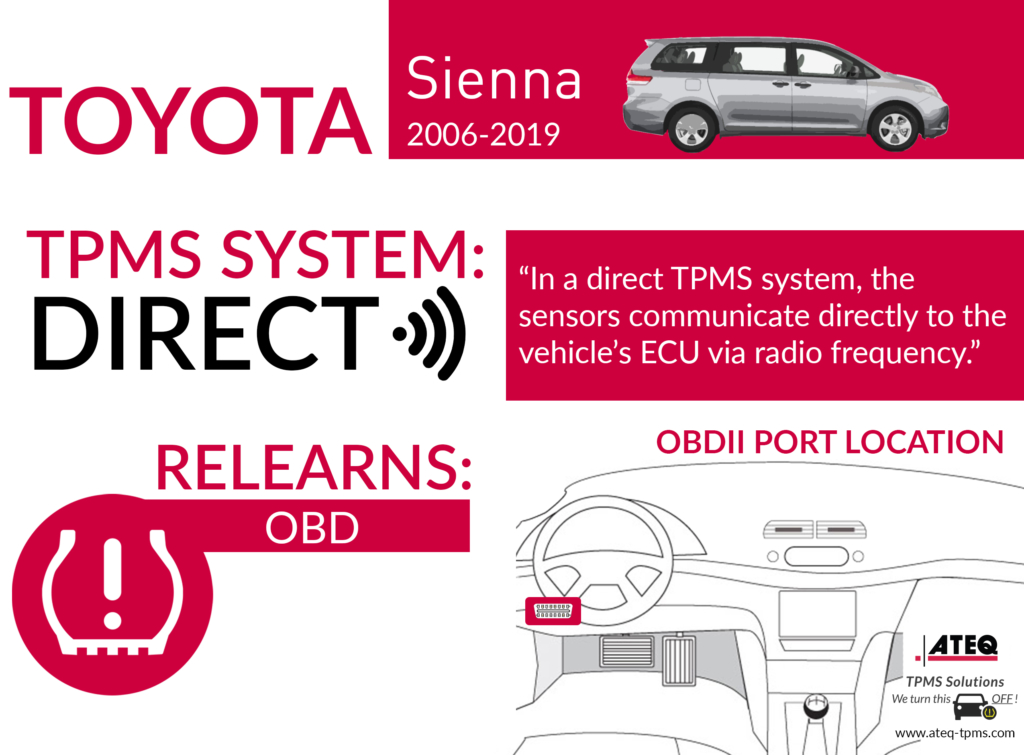
When your tire pressure display fails to show readings or displays incorrect values, several common issues could be responsible.
Diagnose Sensor Communication Failures
If your display shows “—” for one or more tires, the corresponding sensor isn’t transmitting properly. Possible causes include:
- Dead sensor battery (typically lasts 5-10 years)
- Physical damage during recent tire service
- Radio frequency interference from aftermarket electronics
- ECU communication errors requiring reset
Use a TPMS activation tool to verify sensor functionality—these $30-$50 tools confirm whether each sensor transmits at the standard 315 MHz frequency. If a specific sensor fails this test, replacement is necessary.
Address Persistent Warning Lights
If your TPMS warning light stays illuminated after resetting and verifying proper pressures, check for these common issues:
- Temperature fluctuations causing temporary pressure drops (1 PSI per 10°F temperature decrease)
- Slow leaks developing in one or more tires
- Incorrect reset procedure following tire rotation
- System requiring full relearn after sensor replacement
Critical safety note: Never ignore a persistent TPMS warning light—underinflated tires can lead to loss of vehicle control, especially during emergency maneuvers.
Maintain Accurate Tire Pressure Readings Year-Round
Proper TPMS maintenance extends beyond responding to warnings—it requires proactive monitoring and seasonal adjustments.
Verify Readings with Manual Gauge Monthly
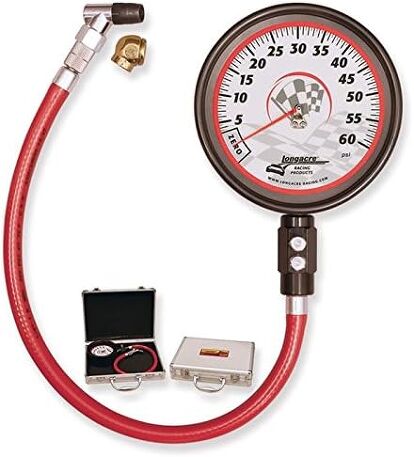
Cross-check your Toyota Sienna tire pressure display against a quality manual gauge once monthly. One owner confirmed: “I still check with manual gauge and so far both the gauge and MID show the same… can’t say that for our other vehicles.” Check pressures when tires are cold (before driving) for accurate comparison, as driving increases tire temperature and pressure.
Adjust for Seasonal Temperature Changes
Monitor pressures more frequently during seasonal transitions, as tire pressure drops approximately 1 PSI for every 10°F temperature decrease. During winter months, you may need to add 3-5 PSI to maintain optimal inflation as temperatures drop. Properly inflated tires improve winter traction and prevent unnecessary TPMS warnings during cold snaps.
Pro tip: Keep a tire pressure log to identify gradual pressure loss that might indicate slow leaks before they trigger warnings.
Regularly checking your Toyota Sienna tire pressure display takes mere seconds but provides critical safety information that protects your family on the road. By mastering the display access sequence specific to your trim level, performing proper resets after service, and verifying readings seasonally, you’ll maintain optimal tire performance and avoid preventable safety hazards. Remember that properly inflated tires not only prevent dangerous blowouts but also improve your Sienna’s fuel economy by up to 3%—saving you money at the pump while keeping your family safe. If you encounter persistent display issues that standard resets don’t resolve, consult a specialist with TPMS diagnostic equipment rather than relying on dealerships where technicians may lack familiarity with this specific feature. Make tire pressure checks part of your monthly maintenance routine, and your Toyota Sienna will reward you with smoother rides, longer tire life, and complete peace of mind.


