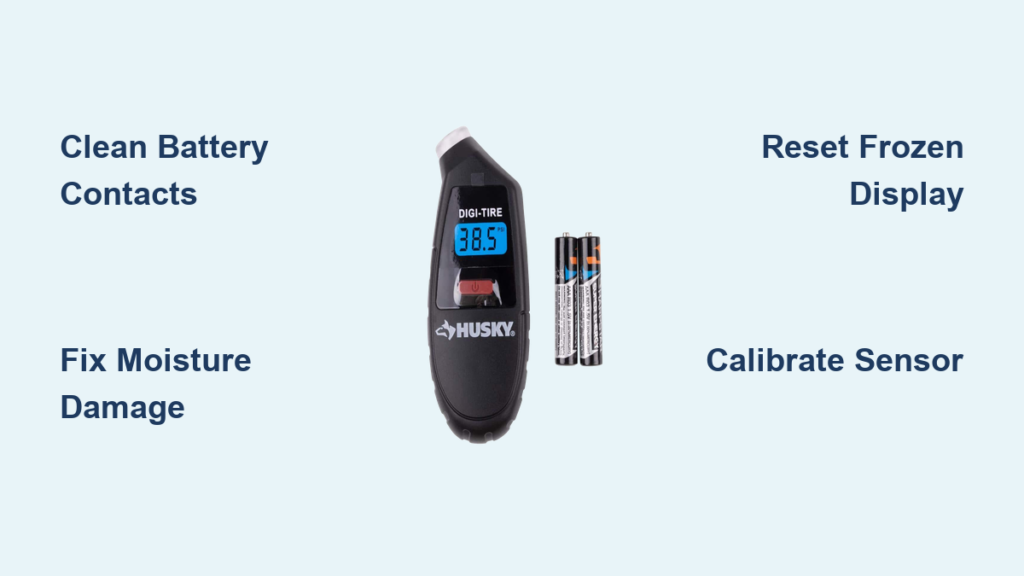
Your Husky Digi Tire gauge suddenly dying mid-check leaves you stranded with unsafe tire pressure. When that digital display goes dark or shows erratic readings, you’re gambling with blowout risks on every drive. Millions of drivers rely on Husky’s digital gauges for precision readings, but without knowing how to troubleshoot common failures, you’re stuck guessing if your tires are underinflated by 10 or 30 PSI. This guide reveals exactly why your Husky digital tire gauge stopped working and delivers proven fixes you can implement in under 15 minutes – no special tools required. We’ll diagnose battery failures, moisture damage, calibration errors, and sensor malfunctions specific to Husky’s Digi Tire models.
Husky Digi Tire Gauge Suddenly Died? Check These 3 Battery Failures First

Most “Husky digi tire not working” emergencies stem from power system failures. Digital gauges consume significant energy during pressure readings, making battery issues the #1 culprit when your display won’t illuminate.
Why Your Husky Gauge Shows No Display After Battery Replacement
Replacing batteries often fails because users miss critical contact points. Husky Digi Tire models use spring-loaded battery compartments where corrosion builds on both ends of the CR2032 coin cell. When you install a new battery without cleaning contacts, residual corrosion creates an insulating barrier. Look for white crusty deposits on the metal terminals – this prevents electrical flow even with fresh batteries. Use a cotton swab dipped in isopropyl alcohol to scrub both contact points until shiny metal appears. Dry completely before reinserting the battery with the “+” side facing up (visible in the compartment diagram).
Moisture-Damaged Battery Compartment Repair Steps
Water exposure causes rapid corrosion in Husky’s aluminum battery housings. If you’ve stored the gauge in a damp trunk or used it in rain, check for green oxidation on the compartment walls. This green patina is copper sulfate – a clear sign of moisture damage. Disassemble the gauge housing (two small Phillips screws on back), remove the battery compartment module, and soak it in white vinegar for 10 minutes. The acid dissolves corrosion without harming components. Rinse with distilled water and air-dry for 24 hours before reassembly. Never use compressed air – moisture trapped in crevices causes future failures.
Battery Drain Prevention for Long-Term Reliability
Husky gauges drain batteries when left in “ready” mode. Their auto-shutoff feature fails if the power button sticks due to debris. Test your auto-shutoff by pressing the power button – it should click crisply. If it feels gritty, spray electrical contact cleaner into the button crevice while pressing repeatedly. For storage, remove batteries completely and keep the gauge in a sealed container with silica gel packets. This prevents the 3-6 month battery drain common in digital gauges stored in humid environments.
Display Malfunctions: Fix Flickering, Dim, or Frozen Screens Now
When your Husky Digi Tire shows garbled numbers or freezes at 0 PSI, LCD panel failures are likely. Unlike analog gauges, digital displays depend on precise voltage to maintain crystal alignment in the screen.
Restoring Dim or Faint Display Readings
Low-voltage symptoms often appear before total failure. If numbers look washed out but respond to button presses, your voltage regulator is failing. This manifests as dimming during pressure measurement when power demand spikes. Replace the CR2032 battery even if it tests “good” with a multimeter – digital gauges require consistent 3V output that weak batteries can’t sustain under load. For immediate field use, warm the battery by holding it in your palm for 60 seconds; body heat temporarily boosts voltage output.
Permanent Pixel Damage From Extreme Temperatures
Husky gauges left in hot cars suffer irreversible LCD damage. Look for persistent black spots or streaks that don’t change with button presses – these indicate dead pixels from thermal stress. Prevention is critical: never store above 140°F (60°C). If damage occurs, replacement is the only solution since pixel repair isn’t feasible. When buying replacements, choose models with automotive-grade LCDs rated for -4°F to 158°F (-20°C to 70°C) temperature ranges.
Resetting Frozen Displays Without Losing Calibration
A frozen screen usually means corrupted memory. Don’t panic and replace the unit yet. Perform a hard reset by removing the battery for exactly 90 seconds (critical timing – less won’t clear memory). Reinsert while holding the “MODE” and “UNITS” buttons simultaneously. You’ll see a brief “CAL” message confirming factory reset. Note: This erases custom calibrations, so recalibrate using a known-accurate gauge afterward.
Inaccurate Pressure Readings: Calibrate Your Husky Gauge Correctly

When your Husky Digi Tire shows 32 PSI but shop machines read 38, calibration drift is the silent killer. Digital sensors lose accuracy after 500+ uses or exposure to sudden pressure spikes.
Diagnosing Sensor Damage From Overinflation
Forcing the gauge onto an overinflated valve (above 60 PSI) permanently bends the internal diaphragm. Test for sensor damage by checking two known pressures: 35 PSI and 65 PSI. If the error exceeds 2 PSI at 35 PSI but jumps to 5+ PSI at 65 PSI, the sensor is compromised. Husky’s warranty covers this if under 2 years, but proof of normal usage is required. Never measure pressures beyond your gauge’s stated limit (typically 150 PSI for Digi Tire models).
Field Calibration Using a Trusted Reference Gauge
You can recalibrate without special tools using this pro technique:
1. Inflate tire to exactly 35 PSI using a certified analog gauge
2. Power on Husky gauge and press “CAL” until display shows “CAL”
3. Attach to valve – display should read 35.0
4. If showing 33.5, press ▲ until it matches 35.0
5. Hold “CAL” for 3 seconds to lock setting
Important: Always calibrate at 70°F room temperature. Cold sensors read 3-5% low; hot sensors read high. Do this monthly for racing applications or quarterly for regular use.
Physical Damage Repairs: Fix Cracked Housings and Valve Stem Issues
Dropped gauges often survive but develop hidden failures. Husky’s polycarbonate housings crack internally while appearing intact, letting moisture into critical circuits.
Sealing Hairline Cracks in the Gauge Body
Water ingress through microfractures causes mysterious intermittent failures. Identify cracks by submerging the powered-off gauge in soapy water and looking for bubbles when squeezing. Seal with UV-curing resin:
– Clean area with isopropyl alcohol
– Apply thin resin line along crack
– Cure with phone flashlight for 2 minutes
– Test with water again before trusting
Never use superglue – it off-gasses chemicals that corrode circuit boards over time.
Valve Stem Connection Failures That Mimic Gauge Problems
Many “Husky digi tire not working” cases stem from faulty valve connections. Bent valve stems or clogged cores prevent proper seal formation. Check for air leaks by applying soapy water to the connection point – bubbles indicate poor seal. Fix by:
1. Replacing the valve core (10-cent part)
2. Using Husky’s angled adapter for recessed stems
3. Holding the gauge straight-on with firm 5-lb pressure
If the gauge reads 0 PSI immediately after connection, the valve stem isn’t depressing the core – a common issue with aftermarket wheels.
When to Replace Your Husky Digi Tire Gauge Permanently
Not all failures are fixable. Recognize these irreversible damage signs to avoid dangerous false readings:
Internal Moisture Damage Beyond Repair
Condensation inside the display window means the O-ring seal failed. This appears as fogging that won’t clear after 48 hours in rice. While temporary fixes exist, moisture permanently damages the pressure sensor’s micro-electronics. Replacement is mandatory – continued use risks sudden calibration failure at highway speeds.
Persistent Error Codes Indicating Sensor Failure
Husky gauges show specific error patterns when sensors die:
– “Err 1”: Pressure sensor short circuit (permanent)
– “Err 2”: Temperature sensor failure
– Flashing “LO”: Undervoltage beyond recovery
“Err 1” requires factory replacement – no user-serviceable parts inside. Keep your receipt; Husky’s 2-year warranty covers sensor failures from normal use.
Prevent Future Husky Digi Tire Gauge Failures With These Pro Habits
Extend your gauge’s life with these field-tested practices:
– Store vertically with valve adapter attached to prevent dust in the port
– Wipe connections with alcohol swab after each use (prevents oxidation)
– Check accuracy monthly against a certified gauge at 35 PSI and 65 PSI
– Replace batteries annually regardless of usage (lithium cells leak after 2 years)
Digital gauges outperform analog ones when maintained properly. By addressing these five failure points immediately, you’ll restore reliable readings and avoid the #1 cause of tire-related accidents: undetected underinflation. For persistent issues, contact Husky’s technical support with your model number (found inside battery compartment) – they often send replacement units faster than repairs.
Final Tip: Keep a $5 analog backup gauge in your glovebox. When your Husky Digi Tire fails unexpectedly, this redundancy ensures you never drive on dangerously underinflated tires. Your safety depends on knowing true PSI – don’t gamble with compromised equipment.