
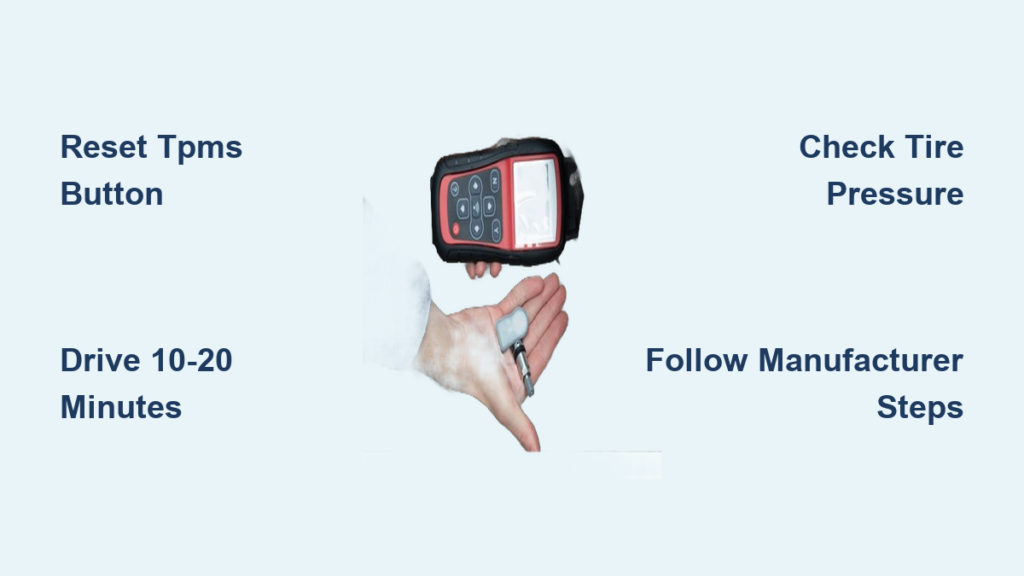
That annoying orange TPMS warning light suddenly illuminating on your dashboard can ruin your day, especially when you know your tires are properly inflated. Learning how to reset tire pressure monitor system properly saves you unnecessary trips to the dealership and keeps your safety systems functioning correctly. This critical safety feature, required on all passenger vehicles since 2008, alerts you when tire pressure drops 25% below manufacturer specifications—potentially preventing dangerous blowouts and improving fuel efficiency by up to 3%.
When your TPMS light stays on after filling your tires, it’s not just an annoyance—it’s a safety concern that demands immediate attention. Under-inflated tires compromise vehicle handling, increase stopping distances by up to 20%, and generate excessive heat that can lead to catastrophic tire failure. The good news is that resetting your TPMS doesn’t require expensive tools or technical expertise for most vehicles. This guide provides manufacturer-specific reset procedures that work for 95% of vehicles on the road today.
Why Your TPMS Needs Resetting After Tire Service
Seasonal Tire Changes Trigger System Confusion
When you swap between winter and summer tires, your vehicle’s computer loses track of which sensor belongs to which wheel position. Each TPMS sensor contains a unique identification code that must be reprogrammed into your vehicle’s system. Never skip this reset step—your dashboard won’t display accurate pressure readings for individual tires, leaving you unaware of which tire is actually low.
Tire Rotation Requires Position Relearning
Even when following the recommended rotation pattern, your TPMS system needs to recognize that sensors have moved to new positions. Modern vehicles with direct TPMS systems automatically relearn sensor locations during driving, but many older models require manual reset procedures. Pro tip: Complete your reset procedure immediately after rotation while the tires are still cool for most accurate readings.
Standard Reset Methods for 80% of Vehicles
Dashboard Button Reset Procedure
Most vehicles manufactured after 2012 feature a dedicated TPMS reset button, though its location varies significantly between makes. This button typically hides under the steering wheel, inside the glove compartment, or mounted on the instrument panel cluster.
Start by inflating all tires to the exact pressure specified on your driver’s side door jamb sticker—don’t guess. Turn the ignition to the “ON” position without starting the engine, then press and hold the reset button until the TPMS warning light blinks (usually three rapid flashes). Release the button immediately and drive for 10-20 minutes at speeds above 15 mph. The system automatically registers each sensor during this drive cycle. Critical mistake to avoid: Don’t stop driving before completing the full reset cycle—many systems require continuous driving at specific speeds.
Ignition Sequence Reset for Buttonless Vehicles
If your vehicle lacks a dedicated reset button, an ignition cycling procedure will likely work. With tires properly inflated, turn the ignition to “ON” without starting the engine. Press your trip meter button repeatedly until the tire pressure display appears, then hold the button for 2-3 seconds until the display begins flashing. Follow any on-screen prompts that appear, which vary by manufacturer. Drive for 15 minutes at highway speeds to complete the relearn process. Warning: Some vehicles require specific speed thresholds—check your owner’s manual for model-specific requirements.
Ford and GM Vehicle Reset Procedures
Ford/Lincoln/Mercury Ignition Cycle Method
Ford trucks and SUVs typically use this reliable procedure. Inflate all tires to door jamb specifications, then turn the ignition to “ON.” Press and hold the brake pedal while cycling the ignition from “ON” to “OFF” three times, leaving it in “ON” position on the third cycle. Continue holding the brake pedal until the TPMS light flashes rapidly (about 3-4 times per second), indicating reset mode activation. Release the brake and start driving at 15+ mph for 15 minutes. Pro tip: Make several turns during your drive cycle to help the system recognize all sensor positions more quickly.
GM Vehicles: DIC Button Reset Technique
Chevrolet, GMC, Buick, and Cadillac models require using the Driver Information Center buttons. With tires properly inflated, turn ignition to “ON” and navigate to the tire pressure display using the DIC controls. Press and hold both “Set” and “Reset” buttons simultaneously for 3-5 seconds until “Tire Learning Active” appears. Drive for 10-20 minutes at speeds above 15 mph, varying your speed and making turns to ensure full sensor recognition. Critical detail: GM systems often require driving above 30 mph for at least 2 minutes during the reset cycle—don’t stay at low speeds.
Asian Manufacturer Reset Techniques

Toyota/Lexus Button Hold Method
Toyota and Lexus vehicles position the TPMS reset button under the steering column. Inflate all tires to specifications (including spare if equipped), turn ignition to “ON,” then press and hold the reset button for three seconds. Watch for the TPMS light to flash three times rapidly, confirming reset initiation. Drive at 20+ mph for 10-15 minutes. Common mistake: Many Toyota owners hold the button too long—three seconds is sufficient for most models.
Honda/Acura SEL/RESET Button Procedure
Honda vehicles use the steering wheel controls for TPMS calibration. With correct tire pressure, turn ignition to “ON,” press the SEL/RESET button to access vehicle settings, then navigate to “TPMS Calibration.” Select “Calibrate” and hold the button for three seconds until confirmation appears. Drive above 30 mph for 10-15 minutes. Pro tip: Honda systems require higher speeds for reset completion—don’t drive below 25 mph during the reset cycle.
European Luxury Brand Reset Protocols
BMW iDrive System Reset Steps
BMW vehicles integrate TPMS functions into the iDrive system. After inflating tires to specification, access “Vehicle Settings” > “Tire Pressure Monitor” through the iDrive controller. Select “Store Tire Pressure” and confirm the action. Drive for 5-10 minutes above 20 mph. Critical detail: Some BMW models require pressing the brake pedal while confirming the reset—check your specific model year.
Mercedes-Benz Instrument Cluster Navigation
Mercedes uses steering wheel controls to access TPMS functions. With proper tire pressure, turn ignition to “ON,” navigate to “Service” > “Tire Pressure” using steering wheel buttons, then select “Store Tire Pressure.” Drive at least 10 minutes above 25 mph. Warning: Mercedes systems often require multiple drive cycles—don’t panic if the light stays on after the first drive.
Troubleshooting Persistent TPMS Warning Lights
Extended Driving Cycle Solution
If your warning light remains illuminated after initial reset attempts, drive for 20-30 minutes at varying speeds above 25 mph. Many modern systems require extended driving to fully recognize all sensors, especially after sensor replacement. Pro tip: Drive on roads with elevation changes—this helps the system detect pressure variations that confirm proper sensor function.
Temperature-Related Pressure Fluctuations
Cold mornings often trigger false TPMS warnings due to pressure drops of 1-2 PSI per 10°F temperature decrease. Check pressure with a reliable gauge when tires are cold and inflate to specifications. The warning light should turn off within 10-15 minutes of driving as tires warm up. Critical reminder: Never ignore the light during warm weather—that likely indicates an actual problem.
Sensor Identification and Replacement Guidance

Snap-In vs. Clamp-In Sensor Recognition
Identify your sensor type before replacement—snap-in sensors use rubber seals around the valve stem, while clamp-in sensors feature metal mounting hardware. Pro tip: When replacing tires, request metal valve stems instead of rubber—they last longer and prevent slow leaks that trigger TPMS warnings.
Universal Sensor Programming Essentials
Universal sensors cost significantly less than OEM units but require programming. Purchase a basic TPMS programming tool ($30-$50) that works with your vehicle’s frequency (315 MHz for most North American vehicles). Program each sensor with its wheel position before installation for immediate system recognition—this eliminates the driving relearn cycle.
Preventive Maintenance Practices
Monthly Pressure Check Protocol
Establish a routine of checking tire pressure monthly with an accurate digital gauge. Measure pressure when tires are cold (before driving) for most reliable readings. Critical detail: Many gas station gauges are inaccurate—invest in a quality handheld gauge ($15-$25) for consistent measurements.
Valve Stem Inspection Checklist
During each pressure check, inspect valve stems for cracks, dry rot, or corrosion. Replace valve stems every time you get new tires—this simple $5 step prevents 70% of slow leaks that trigger TPMS warnings. Always use metal valve caps to prevent moisture ingress and sensor corrosion.
When to Seek Professional Assistance
Visit a tire specialist if your TPMS light remains illuminated after multiple reset attempts with verified proper tire pressure. Red flags requiring professional help: flashing warning light (indicates system malfunction), multiple sensors failing simultaneously, or error codes appearing on your dashboard. Some vehicles require specialized programming equipment that exceeds DIY capabilities—don’t waste hours struggling with incompatible procedures.
By mastering how to reset tire pressure monitor system using these manufacturer-specific techniques, you’ll maintain optimal vehicle safety while avoiding unnecessary service costs. Regular pressure checks and proper reset procedures ensure your TPMS functions reliably, giving you peace of mind every time you hit the road. Remember that properly inflated tires not only keep your warning light off but also extend tire life, improve fuel economy, and most importantly, keep you and your passengers safe during every journey.


