
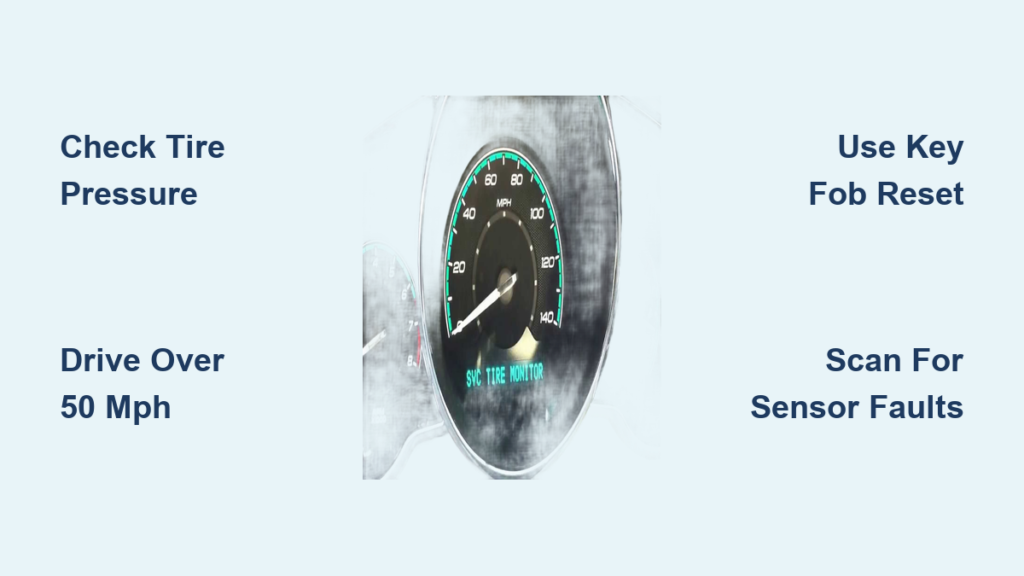
That illuminated “Service Tire Monitor” or TPMS warning light on your Chevy Malibu dashboard can be unsettling, especially when you’re unsure whether it indicates a serious problem or just needs a simple reset. Understanding how to properly reset this system—and more importantly, when reset procedures will actually resolve the issue—can save you time, money, and unnecessary trips to the dealership. This guide walks you through every reset method available for Chevy Malibu models, helps you diagnose the root cause of persistent warnings, and provides maintenance tips to keep your tire monitoring system functioning reliably.
The Tire Pressure Monitoring System continuously monitors air pressure in each tire and triggers dashboard warnings when pressure drops 25% or more below recommended levels. While this safety feature protects you from dangerous tire conditions, the system itself sometimes requires resetting after tire service, pressure adjustments, or battery replacements. The reset procedure varies significantly depending on your Malibu’s model year, so follow the steps specific to your vehicle.
Why Your Service Tire Monitor Light Activates
Before attempting any reset procedure, understanding why your TPMS light illuminated helps determine whether a simple reset will solve the problem or if underlying issues require attention. The most frequent cause is simply incorrect tire pressure—either tires that have lost air due to temperature changes, slow leaks, or normal diffusion, or tires that were overinflated during previous maintenance. Since tire pressure fluctuates approximately one PSI for every 10-degree Fahrenheit temperature change, seasonal transitions commonly trigger warnings even when no actual problem exists.
Sensor battery failure represents another major trigger for Service Tire Monitor warnings. Each TPMS sensor contains an internal battery with a lifespan of five to ten years, and once these batteries die, the sensor stops transmitting pressure data to your vehicle’s computer. When this happens, you’ll typically see a warning light even though your tire pressure might be perfectly fine. The system knows something is wrong—it just can’t get data from that particular sensor.
Recent tire service frequently activates TPMS lights because the system needs to relearn which sensor corresponds to which wheel position. When tires are rotated, replaced, or even temporarily removed for repairs, the vehicle’s computer loses its association between sensors and wheel locations. Without performing a relearn procedure after such service, the system may display warnings despite all components functioning correctly. This is one of the most common scenarios where vehicle owners can resolve the issue themselves using proper reset procedures.
How Temperature Changes Trigger False Alarms
If you’ve ever noticed your TPMS light coming on during cold weather mornings but disappearing after driving for a while, you’ve experienced temperature-related pressure fluctuations. A dramatic 30-degree temperature drop overnight can reduce tire pressure by 3 PSI—enough to trigger the warning light even if your tires were properly inflated the previous evening. Always check tire pressure when tires are cold (after sitting for at least an hour) to get accurate readings before attempting any reset.
Reset Procedure for Older Malibu Models (Pre-2015)
Older Chevy Malibu models, typically those manufactured before 2015, feature a key fob-based relearn procedure that allows you to reset the TPMS system without specialized equipment. This method teaches your vehicle’s computer which sensor is located at each wheel position, enabling accurate pressure monitoring once the process completes successfully.
Begin by ensuring all doors are closed and the ignition is turned to the ON position without starting the engine. Take your functional key fob—the actual remote programmed to your vehicle, not just the ignition key—and press the Lock and Unlock buttons simultaneously. Hold both buttons pressed for five to ten seconds until you hear the horn honk once. This single honk confirms your Malibu has entered TPMS relearn mode, and you can now proceed with registering each sensor.
With the system in relearn mode, trigger each sensor in a specific sequence: front left first, then front right, then rear right, and finally rear left. You can trigger sensors using a dedicated TPMS activation tool, which is the recommended method, or by rapidly adding or removing air from each tire to create a pressure spike the sensor will detect. When the system recognizes a sensor, the horn will honk once to confirm registration. After all four sensors have been learned, the horn will honk several times to indicate successful completion of the relearn process.
Key Fob Programming Requirements
A critical requirement for this procedure is a properly programmed key fob. Simply pressing the lock button on your driver’s door panel won’t work—the system specifically requires signals from the remote fob. If you don’t have a functioning key fob or if yours isn’t properly programmed to your vehicle, you’ll need to obtain and program one before attempting this reset method. Some owners have successfully programmed aftermarket key fobs using tools purchased online, though results vary by model year and fob compatibility.
Reset Steps for 2018 and Newer Malibu Models

The 2018 Chevy Malibu and subsequent model years eliminated the key fob-based relearn procedure, requiring different approaches to reset the tire monitoring system. These newer models typically rely on automatic recalibration during driving or dealer-level diagnostic equipment for complex situations.
Start by verifying all tires are properly inflated to the recommended pressure before attempting any reset. Check the label on your driver-side door jamb for manufacturer-specified pressures, as front and rear tires often require different settings. Inflate all four tires to these exact specifications using an accurate pressure gauge, and ensure tires are cold when checking—driving causes heat expansion that produces artificially high readings.
After confirming proper inflation, drive your Malibu at speeds above 50 mph for approximately ten minutes. This driving period allows the TPMS system to collect data from all sensors and potentially recalibrate automatically. During this time, the system compares pressure readings against expected values and may clear the warning light if no actual malfunction exists. This method resolves many false alarms triggered by temperature changes or minor pressure fluctuations.
Infotainment System Reset Options
If the warning light persists after this driving procedure, check your infotainment system for a TPMS reset option. Navigate to Vehicle Settings, then find Tire Pressure or TPMS options where a reset function may be available. The exact menu path varies by model year and trim level, so consult your owner’s manual for specific instructions. When no reset option exists in the menu or the light remains illuminated after driving, dealer-level diagnostic equipment may be necessary, particularly if sensor replacement is required.
Alternative Reset Methods to Try
Several universal reset approaches work across various Malibu model years when standard procedures prove ineffective. The dedicated TPMS reset button provides one alternative method, though its location varies by model year. Turn the ignition to ON without starting the engine, then press and hold the TPMS reset button until the tire pressure light blinks three times. Release the button, start your vehicle, and allow it to run while driving above 25 mph for ten to twenty minutes to complete recalibration.
On most Malibu models, the TPMS reset button is located beneath the steering column, though some model years position it in the glove compartment or elsewhere in the driver’s footwell. Consulting your owner’s manual eliminates guesswork regarding your specific vehicle’s button location. If you cannot locate this button, the key fob or driving methods described earlier remain your best options.
Quick Cycling Method for Minor Glitches
A simpler approach that sometimes resolves minor system glitches involves cycling the ignition after pressure adjustment. Inflate or deflate tires to correct pressure, turn the engine completely off, wait thirty seconds, then restart the vehicle. If the TPMS light doesn’t reappear after this cycle, the issue was likely a pressure problem rather than a sensor malfunction. The light staying illuminated typically indicates an actual sensor or system problem requiring further diagnosis.
Troubleshooting Persistent TPMS Warnings

When standard reset procedures fail to eliminate the Service Tire Monitor warning, systematic diagnosis helps identify whether sensor replacement or other repairs are necessary. The behavior of the warning light provides important diagnostic information: a solid light generally indicates low tire pressure in one or more tires, while a flashing or blinking light that then stays solid suggests a system malfunction rather than an actual pressure issue.
Examine what your Driver Information Center displays for tire pressures. If you see actual pressure readings for some tires but dashes or blank readings for others, the missing sensors likely have dead batteries or may not be present in those wheels. Some vehicles, particularly certain trim levels or model years, shipped with fewer than four sensors, which can cause confusing warning patterns. In these cases, adding missing sensors resolves the problem rather than resetting the existing ones.
Sensor Battery Failure Patterns
Consider the age of your TPMS sensors when troubleshooting persistent warnings. If your vehicle is approaching or exceeding the five to ten-year battery lifespan, multiple sensors may be failing simultaneously. When one sensor has died, others likely aren’t far behind due to similar age and exposure conditions. Many technicians recommend replacing all four sensors at once when multiple failures occur, ensuring all new batteries tend to fail at approximately the same time and preventing repeated service visits.
When Professional Diagnosis Is Required
Some TPMS situations demand professional diagnostic equipment and expertise that exceed what owners can accomplish with basic reset procedures. When your Malibu displays a flashing TPMS light that eventually settles into a solid warning, this pattern specifically indicates a system malfunction requiring dealer-level diagnosis. The flashing phase signals that the system has detected a fault and needs to be scanned for specific error codes.
Dealership service departments and many independent automotive shops possess TPMS diagnostic tools capable of communicating directly with individual sensors, reading battery status, and identifying specific faults. These tools can determine exactly which sensors are malfunctioning, whether the problem stems from sensor failure or receiver issues, and what repairs are necessary. Many Chevy dealers perform basic TPMS diagnostics at no charge, particularly for existing customers.
Maintain Proper Tire Pressure to Prevent Alerts
Preventing TPMS warnings through proper maintenance eliminates the need for frequent reset procedures and ensures your safety system functions as intended. Check tire pressure monthly using an accurate gauge, and always measure when tires are cold—after sitting for at least an hour or having been driven less than a mile. Inflate to the pressures listed on your driver-side door jamb label, which accounts for your specific vehicle’s weight and tire specifications.
Seasonal temperature changes naturally affect tire pressure, with cold weather reducing pressure and summer heat increasing it. Consider checking pressure more frequently during extreme weather transitions, and adjust accordingly. Some owners maintain slightly higher pressure during winter months to account for natural cold-weather pressure loss, though this should never exceed the manufacturer’s maximum recommended pressure listed on the tire sidewall.
Always perform a TPMS relearn procedure after any tire service involving removal, rotation, or replacement. This includes professional tire rotations, which many shops perform as part of regular maintenance, as well as any DIY tire work. The relearn procedure ensures your system accurately associates each sensor with its current wheel position, preventing confusing warnings that arise when the computer expects sensor data in the wrong location.
Final Recommendations for Resolving TPMS Warnings
When dealing with Service Tire Monitor warnings on your Chevy Malibu, work through problems systematically starting with the simplest solutions. First, verify all tires are properly inflated to manufacturer-specified pressures using an accurate gauge. If the light persists after correcting pressure, try the appropriate relearn procedure for your model year—key fob method for pre-2015 models or driving recalibration for 2018 and newer vehicles.
If warnings continue despite proper pressure and appropriate reset attempts, professional diagnosis becomes necessary to identify failing sensors or system malfunctions. Attempting to reset a system with failed sensors will only produce repeated warnings, as the underlying problem remains unaddressed. Professional diagnostic tools can pinpoint exactly which sensors require replacement and ensure proper system programming after repairs.
Regular tire pressure maintenance and performing relearn procedures after any tire service prevents most unnecessary TPMS warnings. By keeping tires properly inflated and ensuring your system correctly recognizes all sensor locations, you maintain reliable tire pressure monitoring that keeps you safe on the road while minimizing dashboard warning frustration.


