
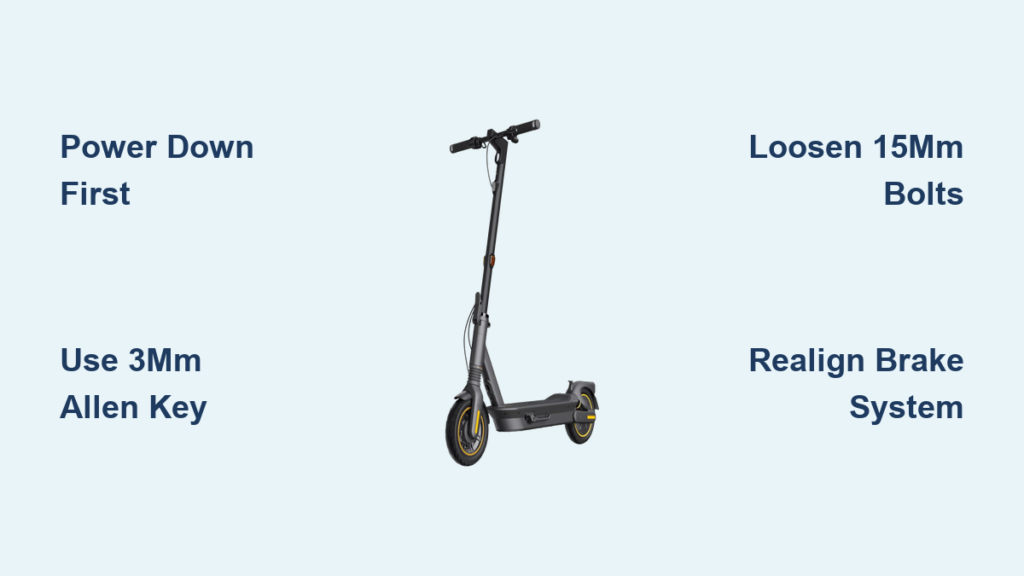
Nothing ruins your commute faster than discovering a flat tire on your Ninebot Max electric scooter right before heading out the door. That sinking feeling when you realize your trusty ride won’t take you anywhere can transform your morning from efficient to disastrous in seconds. Unlike traditional bicycles, electric scooters like the Ninebot Max present unique challenges for tire replacement due to their integrated electrical components, compact design, and specialized mounting hardware. Knowing how to change tire on Ninebot scooter models properly means the difference between waiting for expensive professional service and getting back on the road in under an hour. This practical guide delivers step-by-step instructions specifically for Segway Ninebot Max owners, covering every detail from tool preparation to final safety testing—so you can handle tire emergencies with confidence and keep your electric scooter running reliably for miles to come.
Essential Tools for Ninebot Max Tire Replacement

Gathering the correct tools before starting your tire change prevents frustration and protects your scooter from accidental damage. Using improper tools or improvising can strip screw heads, scratch components, or worse—damage critical electrical elements near the wheel assembly. The precise tools required for how to change tire on Ninebot scooter models include four specific items that work together to safely access and replace the front tire.
Why Each Tool Matters for Your Ninebot Scooter
The slotted screwdriver serves as your precision instrument for accessing hidden components without causing cosmetic damage. Unlike flat-head screwdrivers with wide tips, a precision slotted screwdriver (3-5mm width) provides controlled leverage for prying loose the delicate plastic caps and reflection tags covering critical attachment points. These components snap into place with gentle pressure, and using excessive force or the wrong tool can crack the surrounding plastic housing. When working around the scooter’s electrical components, this precision prevents accidental shorts or damage to wiring harnesses running near the front fork.
3mm Allen Key: Your Small Hardware Savior
The 3mm Allen key handles the tiny hexagon screws securing the wheel covers on both sides of the front assembly. These miniature fasteners are surprisingly critical—they maintain the aerodynamic profile while protecting internal components from dirt and moisture. Many riders make the mistake of using a 2.5mm or 4mm key when their 3mm is missing, which inevitably strips the screw heads. When loosening these screws, apply steady pressure while turning counterclockwise—don’t rush this step. If you encounter resistance, stop immediately and check your Allen key size. These screws typically require only 1-2 full rotations to loosen sufficiently; complete removal isn’t necessary until the next step.
10mm Allen Wrench: Brake System Key
This specialized tool works exclusively on the brake mounting bolt that connects your tire assembly to the braking system. The 10mm size corresponds precisely to the hex socket in the brake bolt head—using anything larger risks rounding the edges, while a smaller size won’t provide sufficient grip. Before attempting to loosen this bolt, visually confirm it’s the only 10mm fastener in the assembly to avoid accidentally removing the wrong component. When working with this bolt, keep a finger on the brake cable bracket to prevent it from spinning freely, which makes removal nearly impossible. Most riders complete this step in 2-3 minutes once properly positioned.
15mm Socket Wrench: The Heavy Lifter
Your largest tool tackles the primary wheel mounting bolts that secure the front wheel to the scooter fork. These substantial fasteners typically require 25-30 ft-lbs of torque to loosen—significantly more force than the smaller screws. The socket wrench provides crucial leverage while maintaining a secure grip that prevents bolt damage. Before using this tool, ensure your socket is fully seated on the bolt head; partial engagement is the leading cause of stripped bolts during how to change tire on Ninebot scooter attempts. If bolts resist movement, apply penetrating oil and wait 5-10 minutes before retrying—never use excessive force that could damage the fork threads.
Secure Your Ninebot Scooter for Safe Work

Proper preparation prevents 90% of tire replacement complications. Taking three critical safety steps before touching any tools ensures you won’t accidentally activate electrical components or drop your scooter during the procedure.
Power Down Completely Before Starting
Press and hold the power button for 5 full seconds until all indicator lights extinguish—this ensures the motor controller and brake systems are fully deactivated. Many riders mistakenly think turning off the display is sufficient, but residual power remains in the system. Verify complete power-down by attempting to engage the throttle; if the motor responds even slightly, restart the power-down sequence. Working on an electric scooter with active components risks sudden motor activation that could cause serious hand injuries when your fingers are near moving parts.
Elevate Your Scooter Properly
Place your Ninebot Max on a stable work surface at waist height to avoid back strain during the 45-60 minute procedure. An ideal setup positions the front wheel 12-18 inches off the ground, allowing full 360-degree rotation for easy access to all sides. Never balance the scooter on its rear fender or lean it against a wall—this creates dangerous instability. If you lack a proper stand, invert a sturdy cardboard box or use stacked wooden blocks to elevate the front end securely. The scooter must remain completely stationary throughout the process; any movement during bolt removal could cause tool slippage and component damage.
Remove Protective Caps Without Damage
Using your slotted screwdriver, carefully insert the tip between the edge of the cap and the scooter body at the 3 o’clock position. Apply gentle upward pressure while slowly rotating the screwdriver to release the first clip point. Continue this process around the perimeter, working clockwise to release each clip sequentially. The reflection tag follows the same removal pattern but requires even gentler pressure as these components are more fragile. Set both pieces aside in a small container—not directly on your work surface—where they won’t get lost among your tools. Damaged or missing caps compromise your scooter’s water resistance and safety visibility.
Remove Wheel Covers and Brake Components
With your scooter properly secured, you can now access the critical hardware holding your front tire in place. This phase requires methodical attention to detail, as rushing can damage plastic components or strip small fasteners.
Loosen Cover Screws Systematically
Begin with the left side cover, locating the three hexagon screws arranged in a triangular pattern. Insert your 3mm Allen key fully into the first screw head before applying pressure—partial insertion is the leading cause of stripped screws. Turn counterclockwise with firm, steady pressure until you feel the screw break free from its seated position (typically 1-2 full rotations). Repeat this process for all three screws on both sides, but don’t remove them completely yet. Leaving screws partially threaded prevents them from falling into inaccessible areas of the scooter frame.
Detach Plastic Covers Safely
Once screws are sufficiently loosened, use your thumbs to apply even pressure at the 6 and 12 o’clock positions of each cover. Gently work your way around the perimeter, releasing each clip with a slight twisting motion rather than pulling straight out. If a section resists release, don’t force it—return to that spot after releasing neighboring clips. The plastic covers contain multiple internal tabs that must disengage gradually. Set covers aside with their inner surfaces facing up to prevent scratches on the polished exterior.
Disconnect the Brake Assembly Correctly
With covers removed, locate the brake mounting bolt positioned at approximately 4 o’clock on the wheel assembly. Before removing this bolt, note the orientation of any washers or spacers—these must be reinstalled in identical order. Use your 10mm Allen wrench with a firm grip and turn counterclockwise while applying slight inward pressure to maintain bolt engagement. As the bolt loosens, support the brake bracket with your free hand to prevent it from swinging and potentially damaging brake lines. Complete removal typically takes 8-12 full rotations. Set the bolt and associated hardware in a magnetic tray to prevent loss.
Extract and Replace the Front Tire
With all mounting hardware removed, you’re ready to remove the damaged tire and install your replacement. This critical phase requires careful handling to avoid damaging the scooter’s fork or brake components.
Remove Primary Wheel Bolts Properly
The two 15mm wheel bolts require significant torque to loosen—typically 25-30 ft-lbs on a Ninebot Max. Position your socket wrench perpendicular to the bolt for maximum leverage, and apply steady pressure in a counterclockwise direction. If bolts resist movement, try the “tighten-loosen” technique: apply slight clockwise pressure to break corrosion before attempting removal. Once loose, continue turning until bolts clear the threads completely. Store bolts upright in a container to prevent rolling.
Lift the Tire from the Fork Assembly
With all fasteners removed, grasp the tire firmly with both hands and pull downward with steady pressure. The tire should separate smoothly from the fork assembly—if resistance occurs, stop immediately and verify all bolts have been removed. Inspect the removed tire to identify the puncture location, which helps determine whether repair is possible or if full replacement is necessary. Check the inner tube (if applicable) for multiple punctures that might indicate rim damage requiring professional attention.
Reinstall New Tire and Final Safety Checks
Reassembly follows the reverse sequence of removal but demands equal attention to detail. Proper torque application and component alignment determine whether your repair will last for miles or fail prematurely.
Position and Secure the New Tire
Lift the replacement tire into the fork assembly, ensuring the wheel hub aligns perfectly with the mounting points. Hand-thread both 15mm bolts to verify proper engagement before using your socket wrench. Tighten bolts in a star pattern (alternating between left and right) to distribute pressure evenly across the wheel hub. Achieve proper torque by tightening incrementally—three passes of increasing pressure—until the wheel shows no lateral movement when tested.
Reattach Brake Components Precisely
Position the brake bracket against the tire assembly, ensuring the brake pad aligns correctly with the rotor. Reinstall the 10mm brake bolt with all original washers in their previous orientation. Tighten just enough to hold the bracket securely while allowing free movement—over-tightening restricts brake function. Verify proper alignment by spinning the wheel; the brake should engage smoothly without rubbing when the lever is pulled.
Complete Final Safety Verification
Before riding, perform these critical checks: spin the front wheel to confirm free rotation without rubbing, test brake engagement at slow speeds in a safe area, and verify all covers and caps are securely fastened. Take a short test ride at walking speed, gradually increasing to normal operating speed while monitoring for unusual vibrations or sounds. Your successful how to change tire on Ninebot scooter repair should restore full functionality with no performance issues—enjoy the satisfaction of extending your scooter’s lifespan through proper maintenance!


