
That persistent orange tire pressure warning light on your Honda CR-V dashboard isn’t just an annoyance—it means your vehicle’s safety system has detected dangerously low pressure in one or more tires. Ignoring this warning compromises your stopping distance, fuel efficiency, and handling, especially during emergency maneuvers. The good news? Resetting your Honda CR-V tire pressure light usually takes just minutes and costs nothing if you follow the correct procedure for your specific model year. Whether you’ve just inflated your tires after a pressure drop or installed new wheels, this guide delivers exact reset methods for CR-V models from 1997 through 2024.
Most drivers make the critical mistake of attempting a reset before verifying proper tire inflation. Your TPMS light will stubbornly remain illuminated regardless of reset attempts if even one tire falls below the manufacturer’s specifications. This comprehensive guide covers every reset technique, troubleshooting steps for persistent lights, and cost-effective solutions when sensors fail—so you can eliminate that dashboard warning and drive with confidence.
Confirm Correct Tire Pressure Before Any Reset Attempt
Don’t waste time pressing reset buttons if your tires are underinflated—the light will simply return. The TPMS triggers when pressure drops approximately 25% below Honda’s specifications, which for most CR-V models means anything below 24-26 PSI when the recommended pressure is 32-33 PSI.
Check your driver’s side door jamb sticker for your exact specifications—never rely on generic recommendations. Current CR-V models (2017-2024) require 33 PSI for standard trims and 35 PSI for Hybrid models, while vehicles with 19-inch wheels often need 33 PSI front and 35 PSI rear. Always check pressures when tires are cold (after sitting for 3+ hours or driving less than 1 mile).
Use a reliable digital tire gauge rather than gas station air pump meters, which frequently give inaccurate readings. If any tire falls below specification, add air until it reaches the exact PSI listed on your door jamb sticker. Remember: overinflating by 3-5 PSI in winter compensates for temperature-related pressure drops that commonly trigger false warnings during cold mornings.
Find Your CR-V’s Hidden TPMS Reset Button
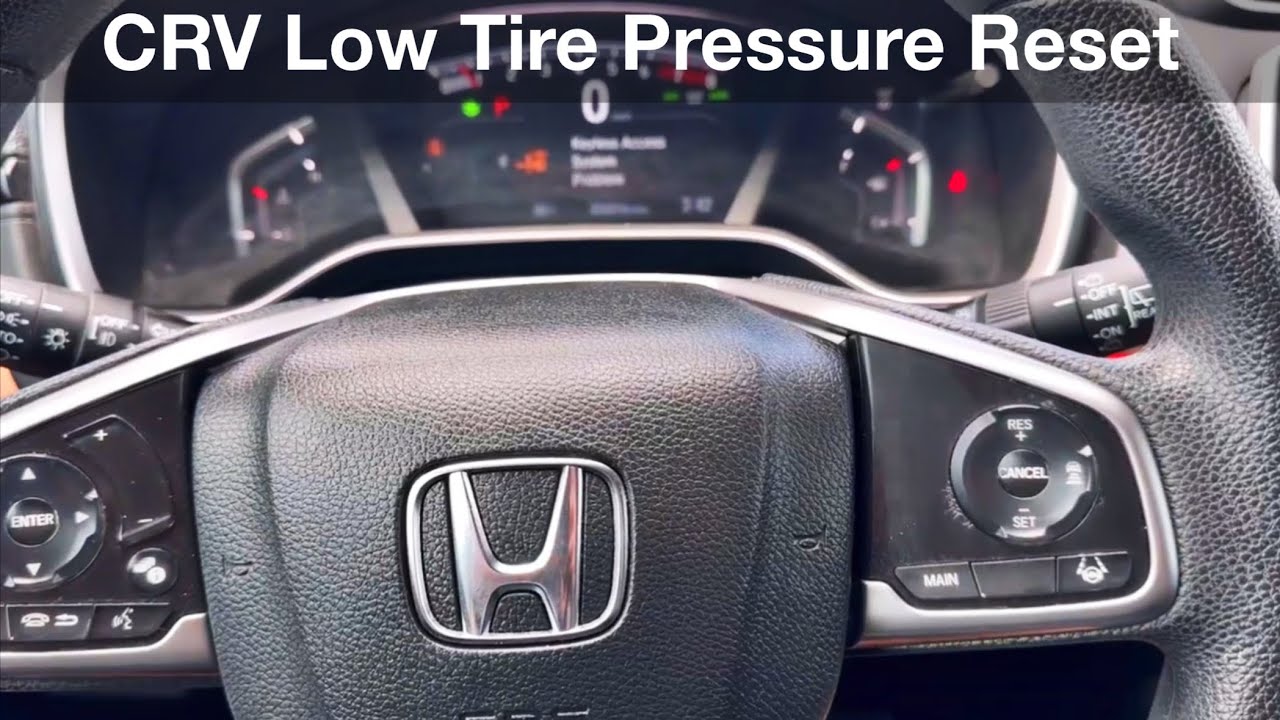
Your Honda CR-V’s TPMS reset button location varies significantly by model year, making it frustrating to locate if you don’t know where to look. For most 2007-2024 models, this button hides beneath the steering wheel on the left side of the driver’s footwell, often near the brake pedal assembly.
Some CR-V trims conceal the button inside the glove compartment behind a small panel, while others position it on the center console side near your left knee. Look for a small button labeled “TPMS” or featuring a tire icon with an exclamation point inside. If you can’t locate it immediately, check your owner’s manual’s index under “tire pressure monitoring” for exact placement.
Once found, turn your ignition to the “ON” position (engine off), then press and hold the reset button for 3-5 seconds until the tire pressure light blinks three times. Start your engine and drive 1-2 miles—the light should extinguish once the system confirms stable pressure. If the light remains solid after driving, your tires likely still need more air.
Reset 2017-2024 CR-Vs Through the Information Display
If your CR-V has a touchscreen display (common on EX-L and Touring trims), you can reset the tire pressure light through the vehicle’s menu system without hunting for physical buttons. This method works best after confirming all tires meet the 33 PSI standard specification for non-hybrid models.
With the ignition on, press the MENU button on your steering wheel, then navigate to “Vehicle Settings” using the arrow controls. Scroll to “TPMS” or “Tire Pressure Monitoring System,” select “Calibrate,” and confirm your choice. The system will display “Calibration Started” followed by “Calibration Complete.”
Now drive for 10-15 minutes at speeds above 30 mph—the system needs this driving cycle to verify sensor readings across all four tires. During this drive, avoid stop-and-go traffic; consistent highway speeds help the system complete calibration faster. The warning light should extinguish automatically once the system confirms proper pressure at each wheel position.
Execute Alternative Reset for 2007-2016 CR-V Models
Third and fourth-generation CR-Vs require a different reset technique since many trims lack a dedicated TPMS button. For these models (2007-2016), use your steering wheel controls to access the calibration menu.
Turn the ignition to ON (do not start the engine), then press the “INFO” or upward arrow button on your left steering wheel controls. Continue pressing until “TPMS Calibration” appears on your instrument cluster display. Press and hold the “ENTER” button for 2-3 seconds until the display confirms “Calibration Started.”
Now drive for at least 10 minutes at varying speeds—the system needs this time to confirm pressure stability. Unlike newer models, these CR-Vs don’t require high-speed driving; normal city streets suffice. The light should turn off automatically once calibration completes. For 2002-2006 models, simultaneously press and hold both “MODE” and “INFO” buttons until calibration begins.
Complete Calibration with Proper Driving Pattern
Regardless of your reset method, the driving phase is non-negotiable—your CR-V’s TPMS system requires real-world data to confirm proper operation. Simply resetting without driving guarantees the light will return within minutes.
Drive for 10-15 minutes maintaining speeds above 30 mph when possible. The system needs this time to receive consistent sensor transmissions from all four wheels. Avoid extended stops or low-speed driving during this period, as frequent stops prevent the system from gathering sufficient data.
If the light remains illuminated after 15 minutes of driving, continue for another 10 minutes—some models require up to 30 minutes total driving for full calibration, especially after replacing sensors or the vehicle battery. If the light persists beyond 30 minutes with properly inflated tires, proceed to troubleshooting steps for persistent warnings.
Troubleshoot CR-V Tire Pressure Light That Won’t Stay Off
When your Honda CR-V tire pressure light refuses to extinguish despite correct inflation and proper reset procedures, these specific issues likely cause the problem:
Temperature-related false alarms: Morning temperatures 10°F colder than the previous evening can drop tire pressure by 1-2 PSI, triggering the warning. The light often extinguishes as tires warm during driving. Combat this by maintaining pressures 2-3 PSI above specifications during winter.
Slow leaks: Carefully inspect tires for embedded nails or screws, then spray soapy water around valve stems and tire surfaces. Bubbles indicate escaping air that requires immediate attention.
Electrical interference: Aftermarket electronics or phone chargers sometimes disrupt TPMS signals. Unplug all accessories and retry the reset procedure.
Identify Failing TPMS Sensor Warning Patterns
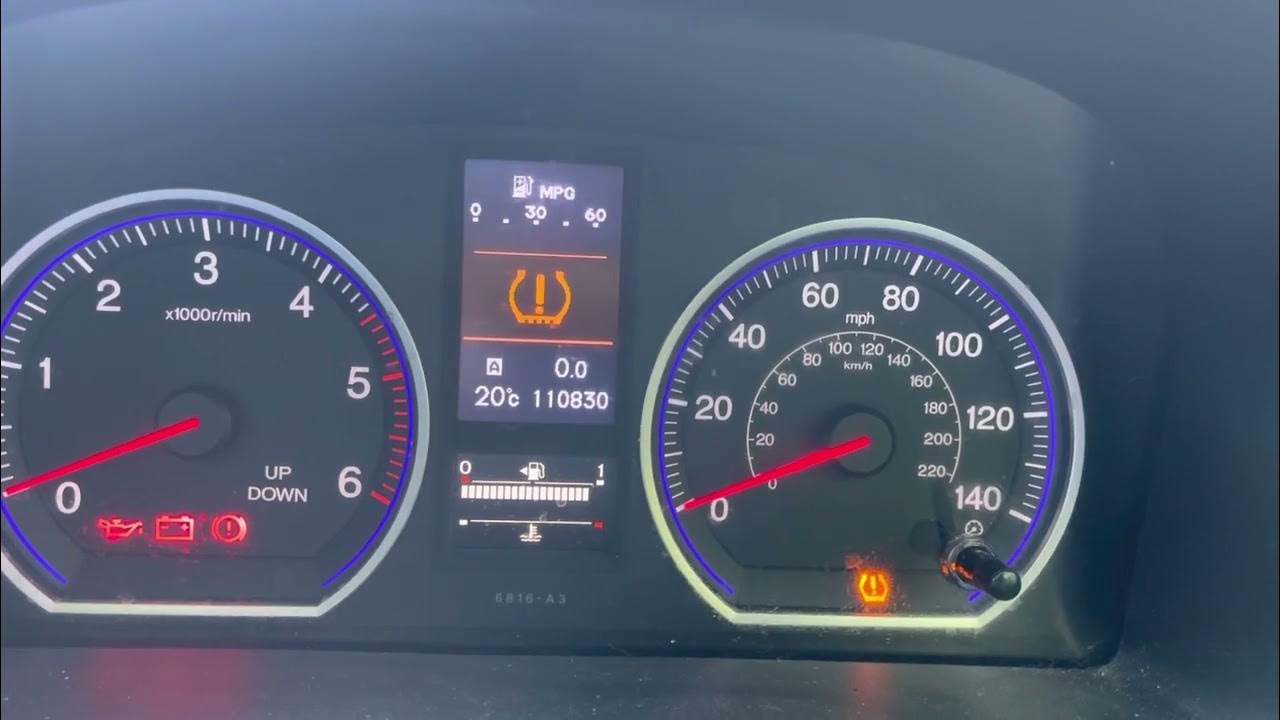
Your CR-V’s TPMS light behavior reveals whether you’re dealing with simple low pressure or actual sensor failure. If the light flashes for 60-90 seconds before staying solid, this specific sequence indicates a sensor communication problem rather than pressure issues.
Failing sensors (common in CR-Vs over 7 years old) often trigger intermittent warnings that appear and disappear without pattern. Sensor batteries typically last 7-10 years and cannot be replaced individually—complete sensor replacement is required when batteries die.
If only one tire consistently shows low pressure readings while others remain stable, that specific sensor likely needs replacement. Modern OBD-II scanners with TPMS functionality ($50-$200) can identify which specific sensor has failed, saving you from replacing all four unnecessarily.
Address Spare Tire Compatibility Issues
Most CR-V spare tires lack TPMS sensors, causing system confusion when installed. If your warning light activates after using the spare, this behavior is normal and resolves when reinstalling standard wheels.
Full-size spares on some trims may include sensors, but temporary “donut” spares never do. When operating on a spare without a sensor, your CR-V may display irregular warnings or reduced TPMS functionality depending on model year. The system typically enters a temporary mode that monitors only the three remaining wheels with sensors.
To maintain full system functionality, consider installing a TPMS sensor in your spare wheel. This $30-$50 investment prevents warning lights during emergencies and ensures complete monitoring whenever you use the spare.
Reset After Tire Service to Prevent Future Warnings
Tire rotations, replacements, or seasonal changes frequently trigger TPMS warnings if not followed by proper system reset. Always check and equalize pressures after any tire service—uneven pressures between wheels can activate the system even when all tires meet minimum specifications.
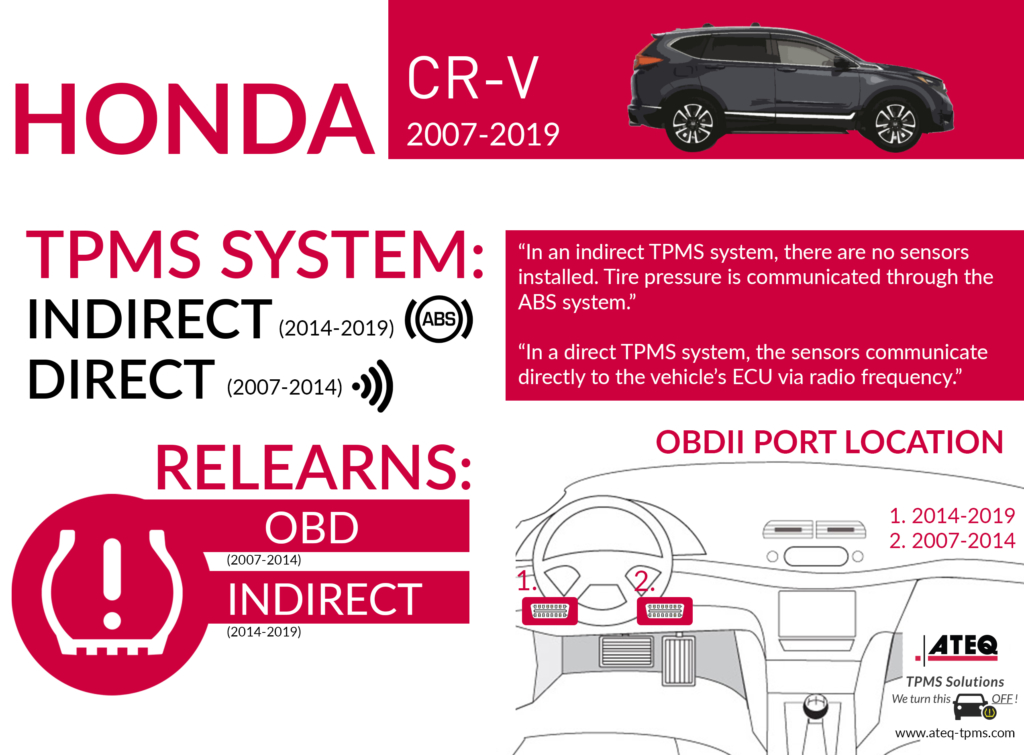
When installing new tires, the system requires a relearn procedure to recognize new sensor IDs. Some models complete this automatically during driving, while others need 20-30 minutes of varied-speed driving. Professional tire shops typically perform this with TPMS relearn tools ($40-$100), forcing immediate sensor recognition without extended driving.
If you replace only one or two tires, the system may need extra time to adjust to the different tread depths, which can temporarily affect pressure readings. Allow 2-3 full driving cycles for the system to stabilize after partial tire replacements.
Calculate True Cost of TPMS Repairs
Understanding replacement costs helps you decide between DIY fixes and professional service. Simple resets cost nothing when performed correctly, but sensor failures require more significant investment.
DIY sensor replacement costs $30-$80 per sensor plus $15-$25 for valve stem kits. Most CR-V owners only need to replace failing sensors rather than all four. Professional replacement runs $100-$250 per sensor including programming—making dealer service 3-4 times more expensive than DIY.
For CR-V owners performing regular maintenance, a consumer-grade OBD-II scanner with TPMS functionality ($50-$200) pays for itself after 1-2 sensor replacements by eliminating programming fees. Valve stem gaskets should be replaced every 4-6 years during tire rotations to prevent slow leaks that trigger false warnings.
Implement Monthly TPMS Maintenance Routine
Prevent warning lights before they occur with these simple maintenance habits. Check tire pressures monthly when tires are cold (after sitting 3+ hours), including your spare if it’s a full-size matching wheel.
During routine tire rotations, inspect TPMS sensors for corrosion, especially around the valve stem base where moisture collects. Replace valve stem gaskets every 4-6 years to prevent slow leaks that gradually reduce pressure below the trigger threshold.
Plan for proactive sensor replacement at 7-10 year intervals—TPMS sensor batteries cannot be serviced individually, and waiting for complete failure often leaves you stranded with a persistent warning light. Replacing sensors before battery failure maintains your safety system’s reliability when you need it most.
Critical CR-V TPMS Reset Takeaways
Resetting your Honda CR-V tire pressure light requires proper tire inflation first, followed by the exact reset procedure for your model year. Modern CR-Vs use either the steering wheel footwell button or touchscreen menu calibration, while 2007-2016 models require steering wheel control sequences. Always drive 10-15 minutes after resetting to complete system calibration.
If the light persists, check for temperature effects, slow leaks, or sensor failures—don’t keep resetting with underinflated tires. The flashing-then-solid warning pattern specifically indicates sensor failure requiring replacement. Monthly pressure checks and proactive sensor maintenance prevent 90% of TPMS issues before they trigger dashboard warnings.
Mastering these reset techniques ensures your CR-V’s safety system functions properly, giving you confidence that your tires maintain optimal pressure for maximum control, fuel efficiency, and tire longevity.


