Proper tire pressure monitoring keeps your Nissan Altima handling safely while maximizing fuel efficiency and tire life. Learning how to see tire pressure on Nissan Altima isn’t complicated once you understand where and how your vehicle displays this critical information. Modern Altimas feature multiple ways to check tire pressure—from the dashboard display to manual verification methods—ensuring you always know your tire condition. Whether you drive a 2019, 2021, or 2023 Altima, this guide shows exactly where to find tire pressure readings and how to interpret them correctly.
Your Nissan Altima’s Tire Pressure Monitoring System (TPMS) continuously tracks air pressure in each tire and displays real-time data through the instrument cluster. This system helps prevent dangerous underinflation that can lead to blowouts, poor handling, and decreased fuel economy. By the end of this guide, you’ll confidently check tire pressure through all available methods and understand what each reading means for your daily driving safety.
Access Tire Pressure Through Dashboard Display

The fastest way to see tire pressure on Nissan Altima is through your vehicle’s built-in dashboard display system. This method provides instant readings without leaving your seat, giving you immediate awareness of your tire condition.
Locating Tire Pressure Information on Your Altima’s Display
Find tire pressure data on your Altima’s multi-information display positioned between the speedometer and tachometer. Use the steering wheel controls—specifically the left-side arrow buttons—to navigate through menu options until you reach “Tire Pressure” or “Tire Pressures.” Press the “OK” button to select it, and your display will show individual PSI readings for all four tires. Front left, front right, rear left, and rear right tires each appear with their specific pressure values.
For Altima models with NissanConnect infotainment, access tire pressure information through the touchscreen. Navigate to “Vehicle Information” or “Settings,” then select “Tire Pressure” to view current readings. The system typically displays pressure in PSI, though some models may show kPa (kilopascals)—1 PSI equals approximately 6.89 kPa. Check your owner’s manual to change measurement units if needed.
Decoding Your Altima’s Tire Pressure Readings
When viewing tire pressure on Nissan Altima dashboard, you’ll see numerical values next to each tire position. Most Altima models require 32-35 PSI when cold, but always verify the exact specification on the sticker inside your driver’s door jamb. If a tire drops more than 25% below recommended pressure, the reading may flash or appear in red on the display, signaling immediate attention is needed.
The TPMS display updates continuously while driving but may take 1-2 minutes to reflect recent pressure changes after inflating tires. For the most accurate reading, check pressure when tires are cold (after the vehicle has sat for at least one hour). Remember that temperature changes affect pressure—expect about 1 PSI change for every 10°F temperature shift.
Interpret TPMS Warning Lights Correctly

Your Nissan Altima’s warning system alerts you when tire pressure falls below safe levels. Recognizing these indicators helps address pressure issues before they compromise safety.
Identify TPMS Warning Light Patterns
The TPMS warning light appears as a flat tire symbol—an outline of a tire with an exclamation point inside—on your instrument cluster. A steady amber light means one or more tires are significantly underinflated (25% below specification). A flashing light that remains illuminated for about 90 seconds before staying solid indicates a system malfunction, such as a sensor failure or low sensor battery.
Don’t confuse the TPMS light with the “Check Engine” light—these serve completely different purposes. The TPMS light specifically relates to tire pressure monitoring, while the “Check Engine” light indicates engine or emissions system issues. If your TPMS light flashes when starting the vehicle but goes off after driving a short distance, this is normal system initialization.
Immediate Actions for TPMS Alerts
When the TPMS light illuminates while driving, safely pull over and visually inspect your tires. Look for obvious signs of underinflation, such as a tire that appears noticeably flatter than others. If you confirm low pressure, inflate the tire to the recommended PSI using an air compressor. After inflating, drive your Altima for several minutes above 16 mph to allow the TPMS sensors to update readings.
If the light remains on after proper inflation, perform a TPMS reset. Navigate to the tire pressure display using steering wheel controls, then press and hold the “OK” button for approximately three seconds until the system confirms reset. If the light persists, schedule service as one of your TPMS sensors may need replacement.
Perform Accurate Manual Tire Pressure Checks
While the dashboard display offers convenience, manual pressure checks with a reliable gauge provide the most accurate readings and help verify your TPMS system’s accuracy.
Essential Tools for Manual Tire Pressure Verification
For precise manual checks, invest in a quality digital tire pressure gauge ($10-$25) or analog dial gauge ($8-$20). Avoid pencil-style gauges at gas stations—they often provide inconsistent readings due to improper calibration or wear. Pair your gauge with a portable air compressor ($30-$80) for convenient inflation at home.
Check your Altima’s recommended pressure specification on the tire information placard inside the driver’s door jamb—never rely on the maximum pressure printed on the tire sidewall. This placard shows the correct cold tire pressure for your specific Altima model and trim level.
Step-by-Step Manual Pressure Checking Process
- Check pressure when tires are cold (vehicle parked for at least one hour)
- Remove valve cap from each tire’s valve stem
- Press gauge firmly onto valve stem and hold steady until reading stabilizes
- Record each tire’s PSI and compare to recommended specification
- Inflate underinflated tires or release air from overinflated tires
- Replace all valve caps securely
Most Nissan Altima models from 2013-2023 require 33 PSI for all four tires when cold, though some performance trims may specify different pressures. The spare tire typically needs 60 PSI for temporary use. Always verify your specific model’s requirements on the door jamb sticker.
Troubleshoot Common Altima Tire Pressure Display Problems
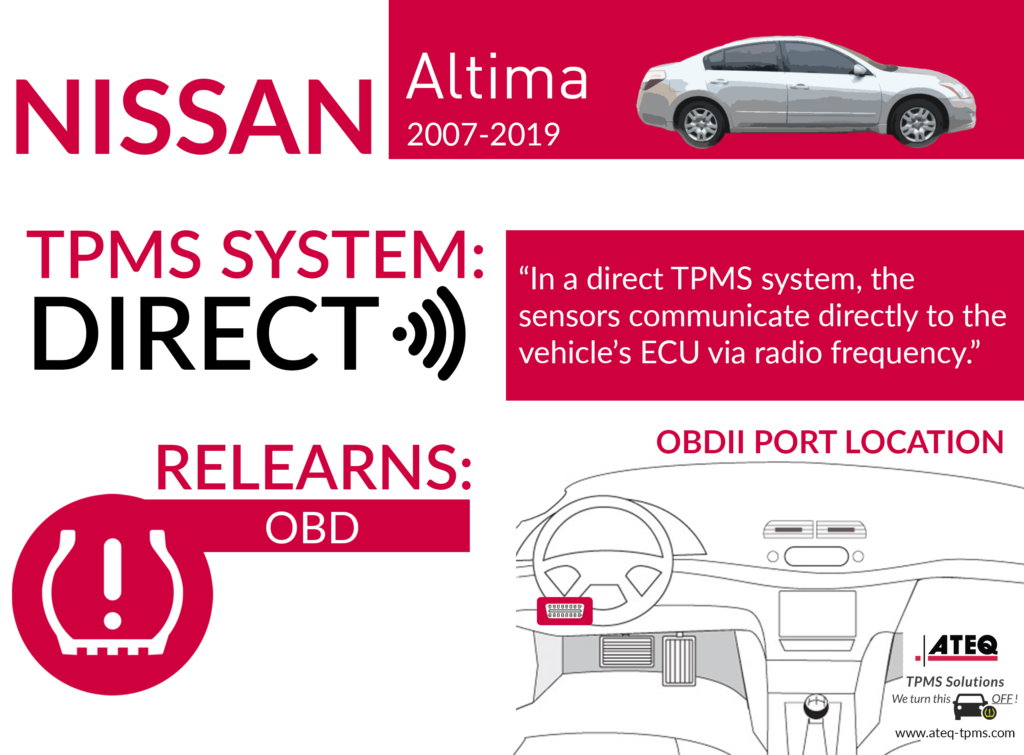
Sometimes your Nissan Altima’s tire pressure display shows inaccurate readings or warning lights that won’t clear. Understanding how to resolve these issues prevents unnecessary service visits.
Fixing “Dash” or Missing Readings
If your display shows “—” for one or more tires, the TPMS sensor for that position may have a dead battery (typically lasting 5-10 years) or signal interference. First, reset the TPMS system through the dashboard menu, then drive 10-15 minutes above 20 mph to refresh readings. If the issue continues, sensor replacement may be necessary ($50-$150 per sensor plus labor).
Clearing Persistent TPMS Warning Lights
When the TPMS light stays on despite proper inflation, ensure all tires match the exact recommended pressure—minor discrepancies between tires can trigger warnings. Perform the TPMS reset procedure again. For some Altima models, locate the TPMS reset button (check owner’s manual for position), hold until the light blinks twice, then drive slowly for 20 minutes to complete the relearn process.
Addressing Fluctuating Pressure Readings
Natural pressure fluctuations occur with temperature changes—about 1 PSI per 10°F temperature shift. If dashboard readings differ from your manual gauge, trust the manual reading for maintenance purposes. Remember that dashboard displays may show different values than manual gauges due to temperature variations between when you last drove the vehicle and current conditions.
Maintain Optimal Tire Pressure Long-Term
Consistent tire pressure maintenance prevents premature wear and improves your Nissan Altima’s performance. Establish these habits for long-term tire health.
Create a Tire Pressure Inspection Schedule
Check pressure monthly and before long trips using both dashboard display and manual gauge. Seasonal temperature changes significantly affect pressure—winter months often require more frequent adjustments as cold temperatures reduce pressure. Even with normal TPMS readings, manual verification ensures accuracy since TPMS only alerts when pressure drops significantly below specification.
Understand Factors Affecting Tire Pressure
Temperature fluctuations cause the most significant daily variations—cold mornings show lower pressure than afternoon readings after driving. Natural air loss occurs at 1-2 PSI per month through the tire material. Driving style also impacts pressure—high-speed driving generates heat that temporarily increases pressure. If you consistently lose pressure in one tire, inspect for punctures or valve stem issues.
Maximize Benefits of Proper Tire Pressure
Maintaining correct tire pressure delivers measurable advantages: 3-4% better fuel efficiency compared to underinflated tires, extended tire life through even tread wear, and optimized handling characteristics. Underinflated tires increase blowout risk from excessive heat buildup, while overinflated tires reduce road contact, compromising wet-weather traction. Both extremes accelerate wear and shorten tire lifespan.
By regularly checking your Nissan Altima’s tire pressure through the dashboard display and manual verification, you ensure optimal safety, performance, and tire longevity. Make monthly pressure checks part of your routine maintenance, address issues promptly when warnings appear, and your Altima will deliver reliable handling and efficient operation for years to come. Proper tire pressure monitoring isn’t just maintenance—it’s essential for your safety every time you drive.