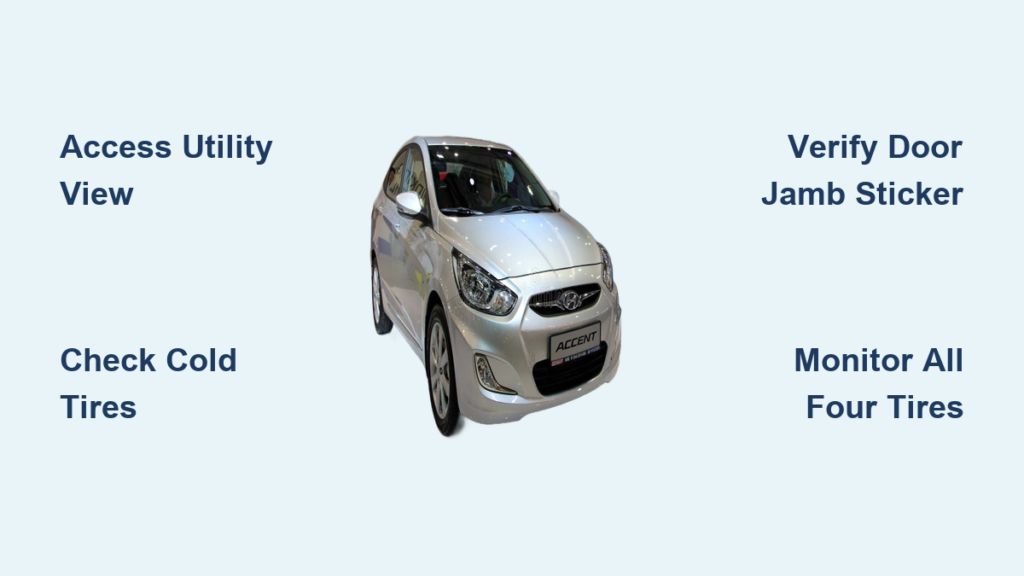
Nothing frustrates drivers more than noticing their Hyundai Accent handling differently only to discover dangerously low tire pressure. Proper tire inflation directly impacts your safety, fuel costs, and tire longevity—yet many Accent owners waste money and risk accidents by neglecting this simple maintenance task. The good news? Your Hyundai Accent features a built-in tire pressure monitoring system that displays real-time readings directly on your instrument cluster, eliminating the need for manual gauge checks in most situations. Learning how to access and interpret these digital readings takes less than a minute but delivers significant benefits for your wallet and safety. In this guide, you’ll discover exactly how to navigate your Accent’s digital display to check tire pressure, understand what the numbers mean, and maintain optimal inflation for peak performance.
Locate Your Hyundai Accent’s Digital Tire Pressure Display
Unlike older vehicles requiring manual pressure checks with a gauge, your Hyundai Accent provides instant tire pressure information through its integrated digital display system. This feature transforms what used to be a cumbersome monthly chore into a quick glance at your instrument cluster.
Access Tire Pressure Through Utility View Mode
Start your Hyundai Accent and wait for the instrument cluster to initialize—this takes about 10 seconds after turning the ignition. Press the “Display” button on your steering wheel until you reach the Utility view mode, which organizes critical vehicle information into an easy-to-read format. When you enter this view, you’ll immediately see a visual representation of all four tires with their current pressure readings displayed numerically next to each tire position. Pro Tip: Check your tire pressure first thing in the morning when tires are cold for the most accurate readings, as driving even short distances increases pressure by 3-5 psi due to heat buildup.
Verify All Four Tires at Once
The Utility view displays pressure readings for front left, front right, rear left, and rear right tires simultaneously, eliminating the need to toggle between individual screens. A properly inflated Hyundai Accent tire typically shows between 32-35 psi, but always confirm the exact specification on the driver’s side door jamb sticker—this is your vehicle’s specific recommendation, not the maximum pressure printed on the tire sidewall. If one tire reads significantly lower than the others (more than 3 psi difference), you likely have a puncture or slow leak. Multiple tires reading low together often indicates temperature changes rather than multiple failures—cold weather can reduce pressure by 1-2 psi for every 10°F temperature drop.
Navigate Your Accent’s Tire Pressure Menu System

Finding tire pressure information requires moving through your Hyundai’s menu structure, which remains consistent across most model years but may have slight variations depending on your trim level.
Follow the Exact Menu Path to Tire Pressure Settings
Access your infotainment touchscreen and tap the “Settings” icon, usually represented by a gear symbol. Navigate through the menu hierarchy: select “General,” then “Unit,” and finally “Tyre pressure unit.” This sequential path leads you to the configuration screen where you control how pressure values appear throughout your vehicle’s display systems. Warning: Don’t confuse this with the TPMS reset procedure—this menu simply changes how pressure is displayed, not the actual monitoring system calibration.
Choose Your Preferred Pressure Measurement Unit
On the Tyre pressure unit screen, you’ll see three measurement options: psi (pounds per square inch), kPa (kilopascals), and bar. Select psi if you’re in the United States or prefer the standard American measurement system. Choose kPa if you’re more comfortable with metric units commonly used in technical specifications. The bar option provides an alternative metric measurement some international drivers find intuitive. After making your selection, the system immediately updates all tire pressure displays throughout your vehicle. Note: Changing this setting affects only how pressure appears on screens—it doesn’t alter the actual air pressure in your tires.
Configure Your Tire Pressure Display for Maximum Clarity
Customizing your tire pressure display ensures you see information in the format most familiar to you, reducing confusion when checking pressure or discussing specifications with service technicians.
Set Your Preferred Unit for Consistent Readings
Once you select your measurement unit (psi, kPa, or bar), all tire pressure information across your Accent’s digital interfaces will consistently display in that format. This uniformity prevents mistakes when checking pressure at home versus at a service center. If you frequently travel between regions using different standards, you can change this setting anytime without affecting your actual tire inflation—only the displayed numbers change. Pro Tip: Stick with psi unless you have specific reasons to use other units, as most American service centers and gas station air compressors use psi measurements.
Master Instrument Cluster Controls for Safer Monitoring
Chapter 4 of your Hyundai owner’s manual details how to use steering wheel-mounted controls to cycle through instrument cluster displays, including tire pressure information. Press the “Mode” button repeatedly until you reach the Utility view showing tire pressures—this method lets you check readings while driving with minimal distraction. Familiarize yourself with these physical controls during a parked state first to avoid fumbling while operating your vehicle. Warning: Never attempt to navigate touchscreen menus while driving—use only the steering wheel controls for in-motion checks.
Interpret Your Hyundai Accent’s Tire Pressure Readings Correctly

Understanding what the numbers mean on your display is crucial for taking appropriate action. Misinterpreting readings can lead to unnecessary inflation adjustments or ignoring genuine problems.
Recognize Normal Pressure Ranges for Your Model
For most Hyundai Accent models, the manufacturer recommends 32-35 psi when tires are cold (undriven for at least three hours or driven less than one mile). Critical Fact: Always check your specific vehicle’s door jamb sticker for the exact pressure recommendation, as it varies slightly based on model year and trim level. This specification accounts for your Accent’s weight distribution, suspension geometry, and intended load capacity—never rely solely on the maximum pressure listed on the tire sidewall.
Identify and Address Underinflation Issues
When your display shows one tire significantly lower than others (more than 3 psi difference), inspect that tire immediately for punctures, damaged valve stems, or bead seal issues. Multiple tires reading low together typically indicates temperature effects rather than multiple failures—check pressures again after driving 10-15 minutes when tires have warmed to operating temperature. Pro Tip: If a single tire consistently reads low despite regular inflation, have it inspected for slow leaks at your next service appointment—you might have a nail or other debris embedded in the tread.
Maximize Benefits Through Regular Tire Pressure Monitoring
Making tire pressure checks part of your routine maintenance delivers measurable advantages across multiple aspects of vehicle ownership.
Boost Fuel Efficiency by 3% or More
Properly inflated tires reduce rolling resistance, directly improving your Accent’s fuel economy. The U.S. Department of Energy estimates that underinflated tires can decrease gas mileage by approximately 0.2% for every 1 psi drop in average pressure across all tires. For an Accent averaging 33 mpg, maintaining proper pressure could save you up to $100 annually in fuel costs alone—money that quickly adds up over your vehicle’s lifetime.
Extend Tire Lifespan by Thousands of Miles
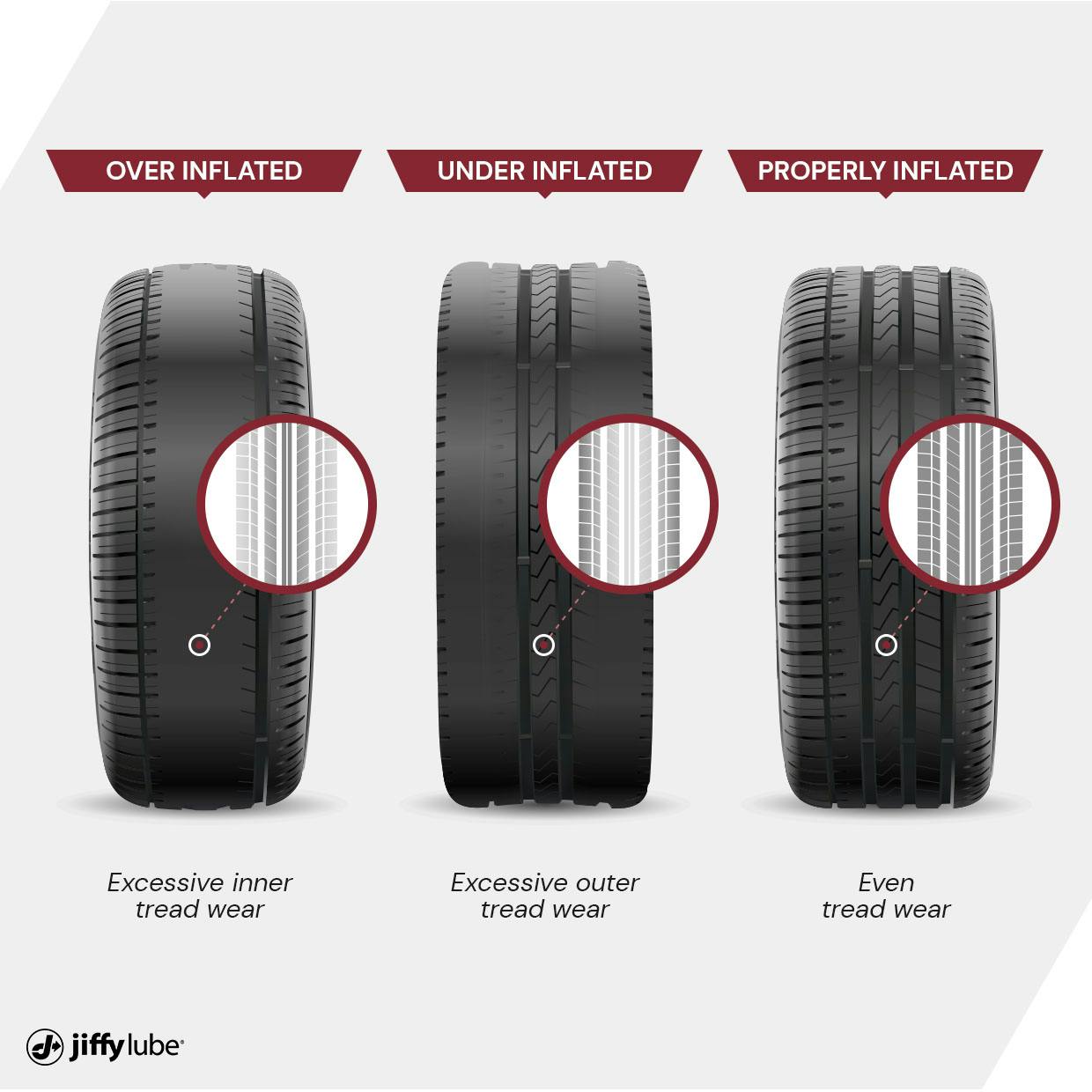
Tires wearing evenly last significantly longer than those suffering from uneven wear patterns caused by improper inflation. Underinflated tires develop excessive wear along their outer edges while overinflated tires wear primarily across the center tread. Either condition forces premature replacement, costing you hundreds of dollars unnecessarily. By monitoring pressure through your Accent’s built-in system, you catch inflation issues early enough to correct them before significant wear occurs.
Enhance Safety During Emergency Maneuvers
Correct tire pressure maintains optimal contact between your tires and the road surface, preserving handling responsiveness and braking performance. Underinflated tires reduce steering precision and increase stopping distances by up to 15% on wet surfaces. The tire pressure monitoring system provides early warning before pressure drops reach dangerous levels, giving you time to add air before handling suffers during critical driving situations.
Troubleshoot Common Tire Pressure Display Problems
Sometimes the system doesn’t show expected information or presents confusing readings that require troubleshooting.
Resolve “No Pressure Display” Issues
If your instrument cluster shows dashes (“—“) instead of pressure readings, wait 1-2 minutes after starting the vehicle—the system may still be initializing. Persistent dash readings could indicate a TPMS sensor malfunction, dead sensor battery, or interference from nearby electronic devices. Try driving at highway speeds for 10-15 minutes to activate the sensors, then restart your vehicle. If the issue persists across multiple drives, consult your owner’s manual for TPMS reset procedures or schedule service for sensor diagnostics.
Verify Inaccurate Pressure Readings
When display readings don’t match manual gauge measurements, verify with a trusted digital tire gauge—the built-in system provides convenient monitoring but shouldn’t replace periodic physical verification. If manual checks consistently differ from display readings by more than 2 psi, schedule service to have the system calibrated. Warning: Don’t adjust tire pressure based solely on the display after driving—tires heat up and pressure increases by 4-8 psi during normal operation, giving false high readings.
Maintain Optimal Tire Pressure With Simple Habits
Establishing good habits around tire pressure monitoring prevents problems before they develop and keeps your Accent performing at its best.
Implement Monthly Pressure Checks
Make checking tire pressure part of your monthly vehicle maintenance routine—do it when you check oil or windshield washer fluid. Your Accent’s built-in display makes this process take less than 30 seconds: simply access Utility view and verify all four tires fall within the recommended range. Pro Tip: Check pressure more frequently during seasonal transitions when temperature swings cause noticeable pressure changes—fall and spring require extra vigilance.
Inflate Tires Correctly at Gas Stations
When adding air at a gas station, fill to the pressure listed on your door jamb sticker, not the maximum pressure on the tire sidewall. After inflating, drive 1-2 miles then recheck readings—the initial reading after inflation may be slightly high until tires stabilize. Critical Reminder: Never deflate tires that read high after driving—this “high” reading is normal thermal expansion, and deflating warm tires will leave them dangerously underinflated when cold.
Regular tire pressure monitoring through your Hyundai Accent’s digital system takes minimal effort but delivers maximum returns in safety, savings, and vehicle longevity. By mastering these simple display navigation techniques and understanding what the readings mean, you’ll keep your Accent performing at its peak while avoiding unnecessary maintenance costs. Start checking your tire pressure today—the few seconds this takes could prevent a blowout, save you money at the pump, and extend your tires’ life by thousands of miles.