That persistent orange tire pressure warning light on your Honda Civic dashboard isn’t just annoying—it signals your vehicle’s tire pressure monitoring system (TPMS) has detected pressure below the recommended level. Ignoring this warning affects your fuel economy, tire longevity, and most importantly, your safety on the road. The good news is that in most cases, you can resolve this issue yourself within minutes. This comprehensive guide covers everything from simple pressure checks to advanced TPMS relearn procedures, ensuring you can silence that warning light and get back to driving with confidence.
Understanding why your tire pressure light activates is the first step toward resolving it permanently. The TPMS in your Honda Civic is designed to alert you when any tire drops 25% below the manufacturer’s recommended pressure, which typically means air has escaped due to temperature changes, small leaks, or simple neglect. Once you address the underlying cause and follow the correct reset procedure, your warning light should stay off—provided no underlying issues remain.
Locate and Verify Your Honda Civic’s Tire Pressure Specifications
Before you can fix the problem, you need to know exactly what pressure your tires should maintain. Many drivers mistakenly inflate tires to the maximum pressure listed on the tire sidewall, which is incorrect for proper vehicle operation.
Find Your Exact Recommended Pressure
Check the driver’s side door jamb for a sticker showing the precise PSI requirements for your specific Honda Civic model year. This sticker indicates the proper pressure for both front and rear tires. Most Honda Civics require 32-35 PSI for front tires and 32 PSI for rear tires, though this varies by model year and trim level. Never use the maximum pressure shown on the tire itself—that number represents the tire’s structural limit, not your vehicle’s optimal operating pressure.
Why Correct Pressure Matters for Your Civic
Maintaining proper tire pressure directly impacts your Civic’s handling, braking distance, and fuel efficiency. Underinflated tires create excessive rolling resistance that can reduce your gas mileage by up to 3%. More critically, improper pressure affects how your vehicle handles during emergency maneuvers. The TPMS light activates when pressure drops 25% below specification because at that point, safety becomes compromised—especially during high-speed cornering or sudden braking situations.
Properly Inflate Your Honda Civic Tires to Reset the Warning Light

You cannot successfully reset the tire pressure light without first addressing the actual pressure issue. Skipping this step means the light will return within minutes of driving.
Use an Accurate Gauge and Proper Technique
Invest in a quality digital pressure gauge—they’re more reliable than the free ones at gas stations. Check your tires when they’re “cold” (vehicle hasn’t been driven for at least 3 hours) for accurate readings. Remove each valve cap, press the gauge firmly onto the stem, and record the pressure for all four tires. If any tire is below specification:
- Add air in short bursts using a compressor
- Recheck pressure frequently—you’ll overshoot if you’re not careful
- For overinflated tires, press the valve core pin to release small amounts of air
- Reinstall valve caps to prevent slow leaks
Pro Tip: Keep a portable air compressor in your trunk for emergencies—it pays for itself the first time you need it on the road.
Confirm All Tires Reach Correct Pressure
Your Honda Civic’s TPMS requires all tires to be within specification before the system will reset properly. Check each tire multiple times, especially if you’re using a gas station air pump which can be inconsistent. Once properly inflated, drive your Civic for 5-10 miles at speeds above 15 mph—this allows the sensors to communicate with the vehicle’s computer. In many cases, the light will turn off automatically once the system confirms proper pressure.
Execute the Correct TPMS Reset Procedure for Your Civic Model Year
If your tires are properly inflated but the warning light remains on, you’ll need to manually reset the system using the method specific to your Honda Civic’s model year.
Reset Method for 2006-2011 Honda Civics
These models feature a TPMS reset button located beneath the steering wheel on the lower dashboard. With the ignition in the ON position (engine off), press and hold this button until the TPMS light blinks twice. Release the button, start your engine, and drive for several minutes. The light should turn off once the system confirms proper pressure readings from all sensors.
Reset Method for 2012-2015 Honda Civics
These models use the dashboard information display for TPMS reset. Turn the ignition to ON, then use the steering wheel controls to navigate to “Customize Settings” > “TPMS Calibration” > “Set.” Confirm the selection and drive for 10-15 minutes at speeds above 20 mph. During this drive, the system recalibrates to your current tire pressures.
Reset Method for 2016+ Honda Civics with Dedicated Learn Button
Newer Civics have a TPMS learn button typically located in the glove compartment. With all tires properly inflated, turn the ignition to ON and press the learn button until the TPMS indicator blinks twice. Drive for 20 minutes at speeds above 20 mph while the system relearns each sensor’s position. The light should turn off automatically once the process completes.
Troubleshoot Persistent Honda Civic Tire Pressure Warning Lights
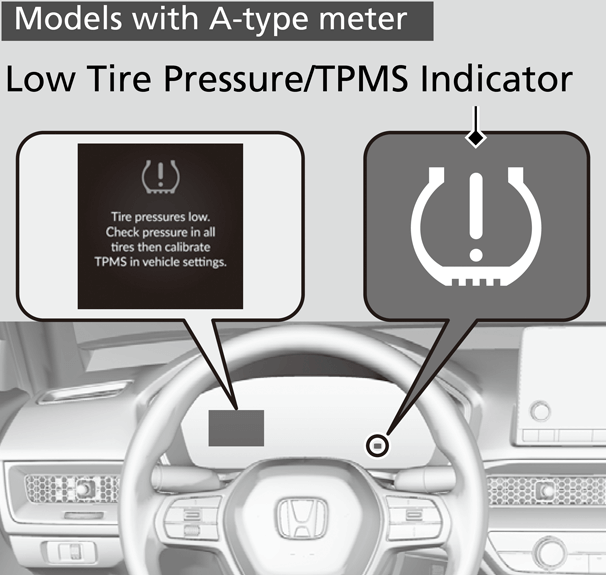
When the light remains on after proper inflation and reset attempts, these common issues are likely to blame.
Diagnose Individual Sensor Failures
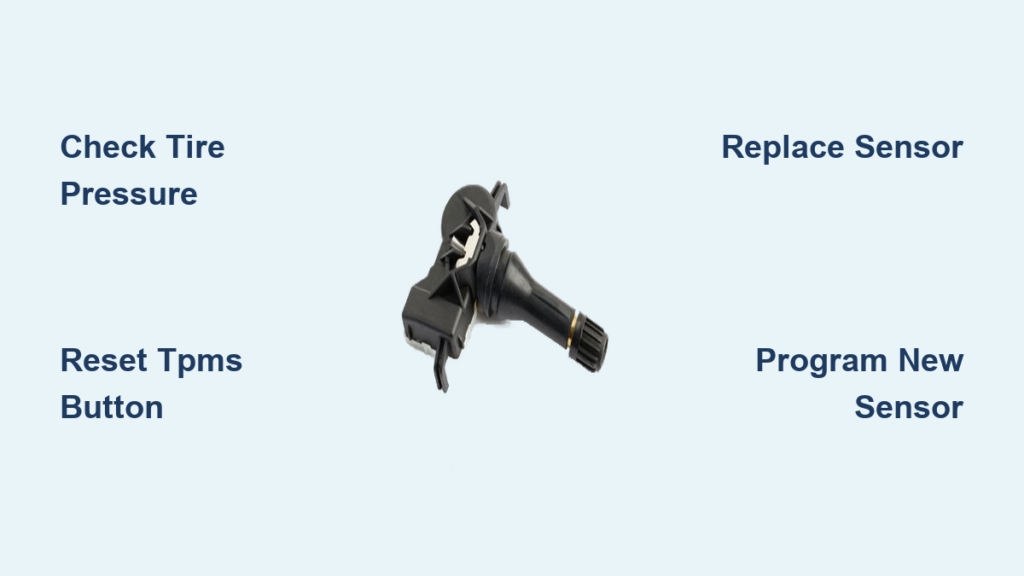
If only one tire triggers the light consistently, that sensor likely has a dead battery or internal failure. TPMS sensors typically last 5-10 years before needing replacement. To test this:
- Swap the suspect tire to a different position
- Reset the TPMS system
- If the warning follows the tire, the sensor needs replacement
- If the warning stays with the original position, the issue may be electrical
Address Temperature-Related Fluctuations
Cold weather is the most common cause of false TPMS warnings—for every 10°F temperature drop, tire pressure decreases by 1-2 PSI. If your light comes on during cold mornings but turns off after driving, temperature fluctuation is likely the culprit. Check and adjust pressures during seasonal transitions to prevent recurring warnings.
Recognize System Malfunctions
A flashing TPMS light indicates a system malfunction rather than a pressure issue. This could mean:
- Failed TPMS control module
- Damaged wiring to sensors
- Electrical interference from aftermarket accessories
- Corroded sensor connections
These issues require professional diagnosis with specialized equipment that can communicate directly with your Civic’s TPMS computer.
Prevent Future Tire Pressure Light Activations on Your Honda Civic
Develop these simple habits to keep your TPMS warning light permanently off and ensure optimal vehicle performance.
Establish a Monthly Tire Maintenance Routine
Check all four tires once monthly using your own reliable gauge—not just when the light comes on. Record your readings to spot gradual pressure loss that might indicate a slow leak. While checking pressure, also:
- Inspect tires for nails, screws, or other debris
- Look for uneven wear patterns
- Check valve stems for cracks or damage
- Ensure valve caps are properly installed
Perform Seasonal Pressure Adjustments
Adjust tire pressure twice yearly during seasonal changes—once in spring before summer heat and again in fall before winter cold. Most Civics require a 3-5 PSI adjustment between summer and winter to maintain optimal pressure. Keep a tire pressure chart in your glove box showing ideal pressures for different temperatures.
After Any Tire Service
Always verify TPMS reset after tire rotations or replacements. Many shops forget this crucial step. If your light comes on after service, return immediately and request they complete the TPMS relearn procedure. When replacing tires, insist on new valve stem sensors if the originals are more than 5 years old—they’re inexpensive compared to future diagnostic headaches.
Never ignore a persistent tire pressure warning light—it’s not just an annoyance but a critical safety feature. By following these procedures, you’ll keep your Honda Civic operating safely and efficiently while avoiding unnecessary trips to the dealership. For stubborn issues that resist these troubleshooting steps, consult a qualified technician with Honda-specific diagnostic equipment—they can identify problems invisible to standard reset procedures. Proper tire maintenance takes just minutes but protects your investment and keeps you safe mile after mile.