That persistent tire pressure warning light glowing on your Honda Civic dashboard isn’t just an annoyance—it’s your vehicle’s way of telling you something needs attention. Whether your Civic recently experienced a temperature drop, you’ve had tires rotated, or the system simply needs recalibration after filling up, knowing how to reset the tire pressure light yourself saves time and prevents unnecessary trips to the dealership. Most Honda Civic models from 2006 through 2024 allow owners to perform this reset using built-in controls, though the exact procedure varies slightly depending on your model year. This guide walks through every method, from simple button presses to OBD-II scanner techniques, so you can extinguish that warning light and get back on the road with confidence.
Before attempting any reset procedure, the most crucial step is ensuring your tires actually have the correct air pressure. A TPMS light that remains on after resetting often indicates genuine low pressure rather than a system malfunction. Grab a reliable pressure gauge and check all four tires, including the spare if your Civic carries a sensor there. Most Civic models require 32 PSI for front tires and 30-32 PSI for rear tires, though these specifications shift slightly based on model year and tire size. Consult your owner’s manual for the exact numbers specific to your vehicle. Inflate any underinflated tires to specification, and remember that temperature changes of just 10°F can alter pressure by approximately 1 PSI—explaining why lights often trigger during cold mornings without any actual leak.
Locate Your Honda Civic TPMS Reset Button
Finding the TPMS reset button is essential for completing the standard reset procedure on most Honda Civic models. This small button hides beneath the steering wheel on the left side of the dashboard, typically recessed into the plastic trim near the fuse panel. You might find it labeled with “TPMS” lettering, though many Civics simply feature an unmarked button in this location. The button sits in a tight space, so you may need to feel around carefully or use a flashlight to locate it. Don’t confuse this button with other controls in the same area—the TPMS reset button is usually smaller and sits closer to the dashboard’s lower edge. Once found, you’ll use this button to initiate the reset sequence that tells your Civic’s monitoring system to relearn sensor positions and clear stored warnings.
Why Your Reset Button Might Be Missing
If you can’t locate a physical TPMS button in your 2016 or newer Honda Civic, this is completely normal—Honda eliminated the dedicated button in favor of a menu-based system. Models from 2016 through 2024 use the driver information display for TPMS reset procedures instead of a physical button. Pro tip: Check your model year before spending time searching for a button that doesn’t exist in newer models. The absence of a physical button doesn’t mean your Civic lacks TPMS functionality—it simply means you’ll need to use the dashboard display method instead.
Execute Standard Reset Procedure for Older Civics
The standard TPMS reset works for the majority of Honda Civic models spanning 2006 through 2015, and it requires only the reset button and your ignition key.
First, ensure all tires meet the recommended pressure specifications outlined in your owner’s manual. With pressure verified, settle into the driver’s seat and turn the ignition to the “ON” position—this is the second position on the key cylinder, or for push-button start models, press the start button twice without touching the brake pedal. This powers the dashboard electronics without actually starting the engine.
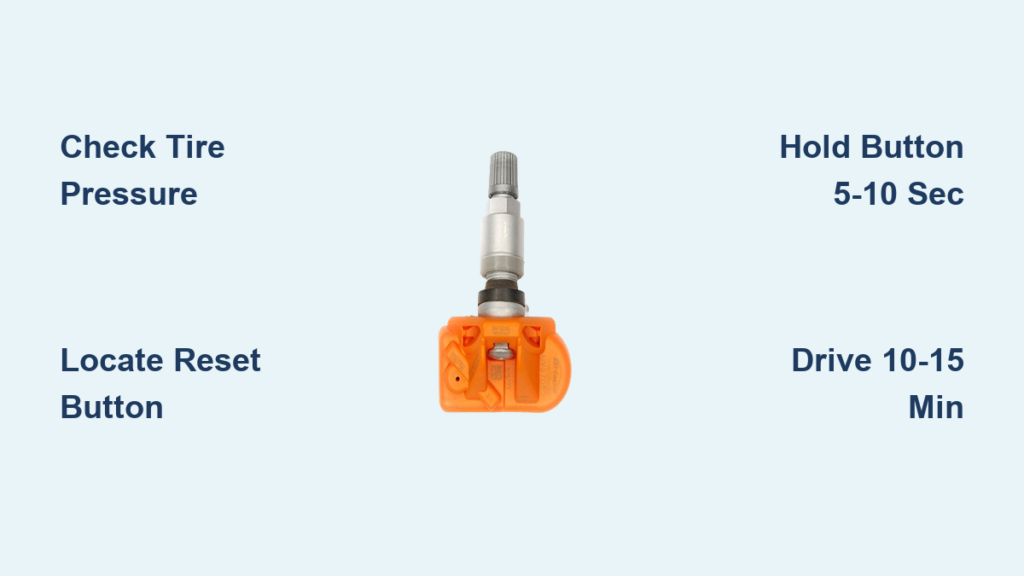
Now press and hold the TPMS reset button you located beneath the steering wheel. Keep the button depressed for approximately five to ten seconds. You’ll know the system has entered reset mode when the TPMS warning light on your dashboard begins blinking rapidly. This rapid blinking signals that your Civic is searching for sensor signals and preparing to relearn their locations.
Release the button once you see the rapid blinking. The light should remain illuminated for a few more moments as the system completes its initialization process. Turn the ignition off entirely, then start your vehicle normally. The TPMS warning light should now be extinguished, indicating a successful reset. If the light persists, you may need to drive the vehicle for ten to fifteen minutes at speeds above 15 to 20 mph to allow the system to fully relearn sensor positions and pressure readings.
Troubleshooting Failed Resets on Older Models
When your TPMS light won’t reset on a 2006-2015 Civic, consider these common issues:
- Insufficient holding time: Many owners release the button too soon—keep it pressed until the light blinks rapidly
- Incorrect ignition position: The system won’t reset if the engine is running or completely off
- Tire pressure still low: Even 2-3 PSI below specification can prevent successful reset
- Sensor batteries depleted: TPMS sensors have 5-10 year lifespans; dead sensors won’t communicate properly
Use Driver Information Display on Newer Honda Civics
Honda Civic models from 2016 through 2024 typically feature a multi-information display in the dashboard cluster, and these vehicles use a menu-based calibration procedure rather than the physical button method. This approach integrates the TPMS reset into your vehicle’s settings menu, making it accessible through steering wheel controls.
Press the “Menu” button located at the end of the right steering wheel stalk to access the main menu on your information display. Use the up and down arrow buttons on the steering wheel to scroll through the available options until you find “Vehicle Settings” or “TPMS Settings.” Select this option by pressing the enter button in the center of the stalk.
Within the vehicle settings menu, navigate to the TPMS calibration option. Your display should show “TPMS Calibration” or similar wording. Select this option, then choose “Calibrate” or “Set” to initiate the process. The display typically shows “Calibrating…” or provides a confirmation message indicating the system has begun relearning sensor data.
After confirming the calibration, you must drive the vehicle to complete the process. Drive for ten to fifteen minutes at speeds exceeding 15 mph. During this drive cycle, your Civic’s system learns the locations and pressure readings of each sensor. A confirmation message may appear on the display when calibration finishes successfully. Upon completing this drive cycle, the TPMS warning light should extinguish, confirming the reset succeeded.
Alternative Menu Path for 2016-2024 Models
Some newer Civics offer another reset method that bypasses the main menu:
- Press and hold the “SEL/RESET” button on your dashboard
- While holding, turn the ignition to ON (without starting the engine)
- Continue holding for approximately ten seconds until the display shows individual tire pressure readings
- Release the button, and the system automatically begins calibration without requiring menu navigation
This shortcut can save time when you need a quick reset without navigating through multiple menu options.
Diagnose Persistent Warning Light Issues

Understanding why your Honda Civic’s tire pressure light refuses to stay off helps you address the underlying cause rather than repeatedly performing unsuccessful resets. Several common issues keep TPMS lights illuminated, and recognizing the specific pattern your light displays provides clues about the problem.
If your TPMS light flashes briefly then stays solid, this pattern typically indicates a system malfunction rather than simple low pressure. A flashing light suggests the control module has detected a fault—perhaps a failed sensor, damaged wiring, or communication issue. In this scenario, an OBD-II scanner becomes essential for identifying the specific diagnostic trouble code pointing to the malfunctioning component.
When the light comes on only during cold weather but disappears after driving, temperature-related pressure changes are usually responsible. As ambient temperatures drop, tire pressure decreases proportionally. A tire that reads exactly 32 PSI on a warm afternoon might drop to 29 or 30 PSI on a cold morning, triggering the warning. Inflate your tires to specification when cold, and consider using nitrogen instead of atmospheric air—nitrogen pressure changes less with temperature fluctuations, providing more stable readings year-round.
Sensor Failure Signs to Watch For
Critical warning signs that indicate sensor problems rather than simple pressure issues:
- TPMS light remains illuminated even after proper inflation and multiple reset attempts
- Specific tire identification shows as “???” or “Not Found” on newer Civic displays
- Warning light appears immediately after starting the vehicle, before driving
- Multiple tire pressure warnings occur simultaneously across all tires
These symptoms typically indicate dead sensor batteries (which last 5-10 years) or physical damage to the sensors themselves.
Review Model-Specific TPMS Specifications
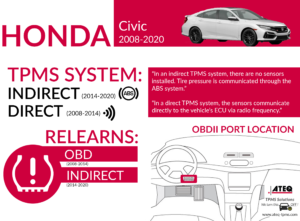
Honda Civic TPMS specifications evolved across model years, affecting recommended pressures, sensor frequencies, and reset procedures. Knowing your specific model year’s requirements ensures you apply the correct procedure and maintain proper tire inflation.
Civic models from 2006 through 2011 use direct pressure monitoring sensors operating at 315 MHz. These models typically recommend 32 PSI for both front and rear tires. The reset procedure uses the physical TPMS button located beneath the steering wheel, and the system usually requires a short drive cycle to complete sensor relearning after reset.
The 2012 through 2015 generation features enhanced direct monitoring with the same 315 MHz sensor frequency. Recommended pressure increases slightly to 33 PSI for all tires during these years. Reset procedures still favor the physical button method, though OBD-II scanners work effectively for more persistent issues or sensor replacements.
Honda Civic models from 2016 through 2024 incorporate direct monitoring with location tracking capabilities, allowing the system to identify which specific tire is low rather than simply indicating a general pressure issue. Sensor frequency remains 315 MHz in most markets, though some regions use 433 MHz sensors. Recommended pressures vary by trim—LX models typically specify 35 PSI front and 33 PSI rear, while Sport trims use 32 PSI all around. These newer models require the driver information display menu calibration procedure rather than the physical button method, and they benefit from the integrated tire pressure readout showing individual tire readings on demand.
Maintain Your Civic’s TPMS System Long-Term
Regular maintenance keeps your Honda Civic’s tire pressure monitoring system functioning reliably and prevents unexpected warning lights from disrupting your drives. Simple monthly checks and proper tire care extend sensor life and ensure accurate pressure readings.
Inspect tire pressure monthly when tires are cold—driving generates heat that artificially inflates pressure readings. Use a quality pressure gauge rather than relying on air station gauges or the TPMS system itself, as these can provide inaccurate readings. Check all four tires plus the spare if equipped with a sensor, and inflate to your model’s specifications found in the owner’s manual or on the driver-side door jamb label.
Rotate your tires every 5,000 to 7,500 miles according to your maintenance schedule. After rotation, the TPMS system automatically relearns sensor positions during normal driving, but being aware of this process helps you understand why a light might appear briefly after tire service. If a warning persists after driving for fifteen minutes above 15 mph, the rotation may have triggered a genuine pressure issue worth investigating.
Pro maintenance tip: When replacing sensors—typically every seven to ten years as batteries fail—ensure new sensors match your Civic’s year and market frequency specification. Mixing sensor types or frequencies causes communication failures and persistent warning lights. Valve stem caps should always remain in place to protect valves from debris and water intrusion.
By following these procedures and maintenance tips, you’ll keep your Honda Civic’s tire pressure monitoring system functioning properly, ensuring both safety and optimal vehicle performance. When warning lights do appear, you now possess the knowledge to reset them yourself for most common situations, while recognizing when professional service becomes necessary.