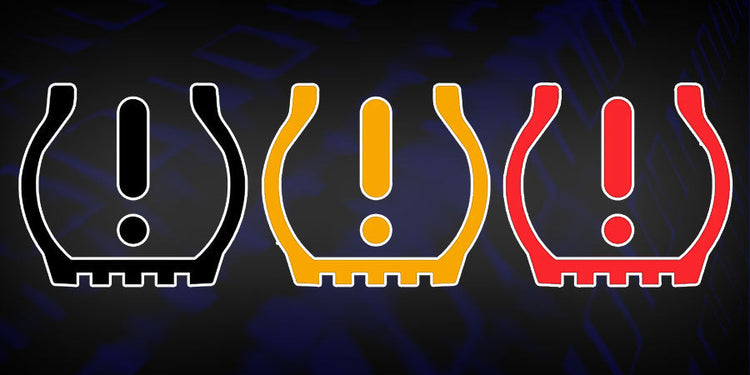
Your dashboard warning light flashes red – the tire pressure monitoring system (TPMS) has detected an issue. You’ve checked your tire pressures, but the light won’t reset. This frustrating scenario happens to millions of drivers annually, leaving them wondering how to properly reprogram their tire pressure sensors after routine maintenance or replacement. When you install new tires or replace a damaged sensor, your vehicle’s computer needs updated information to accurately monitor pressure levels. Without proper reprogramming, your TPMS may provide inaccurate readings or remain in a constant warning state, potentially compromising your safety on the road.
Reprogramming tire pressure sensors isn’t just a convenience—it’s a critical safety procedure required by law in many regions. Modern vehicles rely on precise sensor data to maintain optimal tire pressure, which affects braking distance, fuel efficiency, and overall vehicle handling. The good news is that while procedures vary by manufacturer, the fundamental process follows similar patterns across most vehicles. Whether you drive a Ford F-150, Toyota Camry, or Honda Civic, understanding how to properly reprogram your TPMS can save you time and money while ensuring your vehicle operates safely.
In this guide, you’ll learn exactly when reprogramming is necessary, the different methods available for various vehicle types, and step-by-step approaches that work for most modern automobiles. You’ll discover how to identify your specific TPMS system, select the right tools for the job, and complete the reprogramming process with confidence. By the end, you’ll know how to reset your tire pressure sensor warning light correctly and ensure your vehicle’s monitoring system functions as intended.
Why Tire Pressure Sensor Reprogramming Becomes Necessary
When Standard Reset Procedures Fail to Clear the Warning Light
Standard TPMS reset procedures through your vehicle’s infotainment system or button sequence often fail when sensors have been replaced or moved between wheels. This happens because your vehicle’s ECU (Electronic Control Unit) maintains specific sensor IDs for each wheel position. When you replace a damaged sensor or rotate tires without updating the system, the computer continues looking for the original sensor IDs, triggering persistent warning lights. Most modern vehicles require full reprogramming rather than simple resetting after sensor replacement or wheel rotation.
Vehicle-Specific Sensor ID Requirements After Tire Service
Each tire pressure sensor contains a unique identification code that your vehicle’s computer memorizes during initial programming. When technicians perform tire rotations at dealerships, they don’t just move the tires—they update the ECU with the new sensor positions. Without this update, your vehicle thinks the front left sensor is now in the rear right position, causing inaccurate pressure readings and potential safety issues. Reprogramming establishes the correct sensor-to-wheel relationship, ensuring your dashboard displays accurate pressure data for each specific tire.
Essential Tools for Successful TPMS Reprogramming
OBD-II Scanners With TPMS Functionality Versus Basic Code Readers
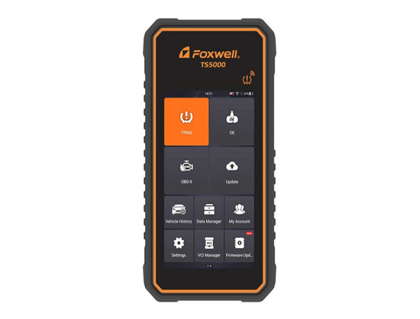
Not all OBD-II scanners can reprogram tire pressure sensors. Basic code readers only retrieve and clear diagnostic trouble codes, while professional-grade TPMS tools can access the specialized programming protocols required for sensor registration. Look for scanners explicitly advertising “TPMS relearn” or “sensor programming” capabilities. Higher-end models from brands like Autel, Foxwell, and Launch allow you to input new sensor IDs, activate sensors with magnetic triggers, and verify programming success—features essential for proper reprogramming.
When Magnet Activation Tools Outperform Software-Based Methods
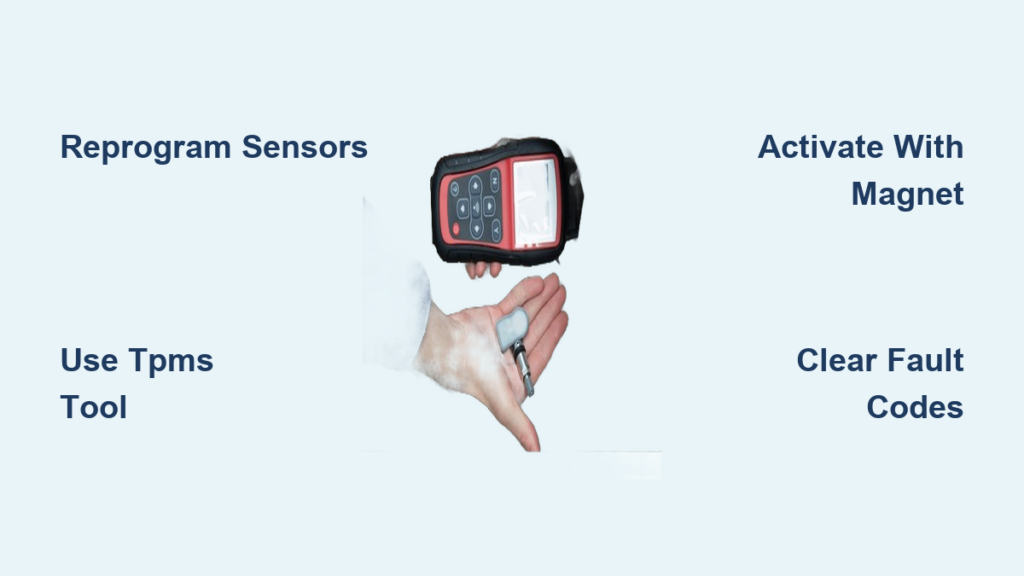
Some vehicle manufacturers, particularly European brands like BMW and Mercedes-Benz, require physical activation of TPMS sensors during reprogramming. These systems use magnet-based tools that temporarily increase sensor transmission rate, allowing the vehicle to recognize and register each sensor in sequence. The process typically involves placing the magnet near the valve stem while following the vehicle’s relearn procedure. For these makes, software-only approaches often fail, making the $20-$40 magnet tool a necessary investment for proper reprogramming.
Step-by-Step Reprogramming Procedures by Vehicle Type
American Vehicles: GM and Ford TPMS Registration Process
For most General Motors vehicles (Chevrolet, Buick, GMC, Cadillac), reprogramming follows a standardized sequence:
- Ensure all tires are inflated to manufacturer specifications
- Turn ignition to the “ON” position without starting the engine
- Press the TPMS reset button (usually located beneath the steering wheel) until the TPMS light blinks slowly
- Starting with the left front tire, use a magnet or TPMS tool to activate the sensor until the turn signal flashes
- Repeat for right front, right rear, and left rear tires in sequence
- Complete the process by pressing the reset button again until the light blinks three times
Ford vehicles typically require similar steps but often need a scan tool to initiate the relearn mode before sensor activation. Always verify tire pressure specifications in your owner’s manual before beginning, as incorrect pressures will cause reprogramming to fail.
Asian Manufacturers: Toyota and Honda Sensor Registration Methods
Toyota and Honda vehicles generally use a more automated approach that requires minimal driver intervention:
- Inflate all tires to the correct pressure specified on the driver’s door jamb
- Turn the ignition to “ON” without starting the engine
- Press and hold the TPMS reset button until the hazard lights flash (approximately 3 seconds)
- Drive the vehicle at 19+ mph for 20+ minutes while the system automatically registers each sensor
This passive relearn procedure works because these manufacturers design their systems to detect sensor signals during normal driving conditions. However, if you’ve replaced a sensor, you may need to manually activate it with a magnet tool before beginning the drive cycle to ensure proper recognition.
Troubleshooting Common TPMS Reprogramming Failures
Why New Sensors Won’t Register During the Reprogramming Sequence
The most common reason new sensors fail to register is insufficient activation signal strength. TPMS sensors transmit at low power (typically 315MHz or 433MHz), and weak batteries in new sensors or interference from nearby electronics can prevent proper communication. Try these solutions:
- Position your activation tool directly against the valve stem
- Perform the procedure away from other vehicles or electronic devices
- Replace the sensor battery if it’s a programmable unit
- Verify the sensor is properly seated in the wheel
If problems persist, the sensor may be incompatible with your vehicle or defective from the factory—common issues with aftermarket sensors that don’t match OEM specifications.
Persistent Warning Lights After Successful Sensor Programming
Even after completing all reprogramming steps correctly, some vehicles display persistent warning lights due to residual fault codes in the ECU. This occurs because the system logs historical data that isn’t cleared by the standard relearn procedure. To resolve this:
- Use a professional scan tool to clear all TPMS-related diagnostic trouble codes
- Perform a full vehicle battery reset (disconnect negative terminal for 15 minutes)
- Recalibrate the system by driving 50+ miles after successful programming
Many modern vehicles require this “drive cycle” to fully validate the new sensor data before disabling the warning light permanently.
Professional Reprogramming Services Versus DIY Approaches

Cost Analysis: Dealership Fees Versus Quality Aftermarket Tools
Dealerships typically charge $75-$150 for TPMS reprogramming services, while independent tire shops often include it with tire purchases. For frequent DIYers, investing in a quality TPMS tool ($150-$400) pays for itself after 2-3 uses. Entry-level tools like the Autel MX-Sensor work for most common vehicles, while professional models like the JDIAG JDT500 support advanced functions across multiple makes.
Consider these factors when deciding between professional service and DIY:
– How often you rotate or replace tires
– The complexity of your vehicle’s specific system
– Whether you own multiple vehicles requiring different procedures
– Your comfort level with technical automotive procedures
When Dealership Programming Becomes Mandatory for Your Vehicle
Certain luxury and performance vehicles require proprietary software only available through dealerships. European manufacturers like Porsche, Audi, and Land Rover often use encrypted sensor protocols that prevent third-party programming. Additionally, some newer electric vehicles have integrated TPMS systems that require specialized calibration with the vehicle’s stability control systems. If your owner’s manual specifies “dealer service only” for TPMS programming, attempting DIY methods could trigger security protocols requiring expensive dealer resets.
Preventing Future TPMS Reprogramming Issues
Best Practices for Tire Rotation Without Triggering Sensor Errors
To avoid repeated reprogramming needs during routine tire rotations:
- Use valve stem stickers to mark sensor positions before removing wheels
- Rotate tires in the specific pattern recommended by your vehicle manufacturer
- Update sensor positions in the ECU immediately after rotation using your scan tool
- Maintain consistent tire pressure during the rotation process
Many modern tire service centers have forgotten this crucial step, leading to unnecessary TPMS warnings after routine maintenance. Taking 5 minutes to update sensor positions prevents hours of troubleshooting later.
Sensor Battery Life Considerations During Reprogramming
TPMS sensors contain non-replaceable batteries that typically last 5-10 years. When reprogramming after a sensor replacement, verify the new sensor’s battery status. Some programmable sensors allow battery replacement, while most OEM units require complete replacement when batteries fail. Attempting to reprogram a sensor with a weak battery often fails because the transmission signal becomes too weak for reliable recognition. Always test new sensors before installation using a TPMS tool to verify signal strength and battery health.
Final Note: Proper tire pressure sensor reprogramming ensures your vehicle maintains accurate pressure monitoring, directly impacting safety, fuel efficiency, and tire longevity. While specific procedures vary by manufacturer, understanding the fundamental principles allows you to approach the process with confidence. Always consult your vehicle’s specific service manual for exact procedures, and when in doubt, seek professional assistance—your TPMS is a critical safety system that shouldn’t be compromised. Regular maintenance of your tire pressure monitoring system prevents unexpected failures and keeps you informed about one of your vehicle’s most important safety features.